Loading manual…
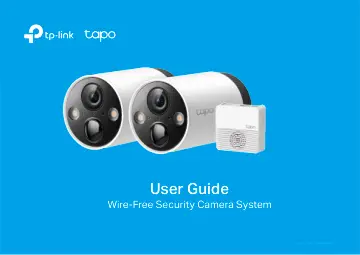
TP-Link Smart Wire-Free Security Camera System (TAPO C420S2) user manual
- Type
- User manual
- Language
- English
- Pages
- 44
- Category
- Security cameras
- Models
- TAPO C420S1TAPO C420S2
Open PDFOpens the file on objects.icecat.biz.
Contents
- About This Guidep. 4
This guide provides a brief introduction to the Smart Wire-Free Security Camera System and the Tapo app, as well as regulatory information. Please note that…
- Introductionp. 5
Install anywhere with long battery life. Tapo Wire-Free Security Camera System is designed to be used outdoors. Its rechargeable and removable battery with a…
- Appearance-Camerap. 6
Indicate the status of your camera. While the camera is powered on: Front Back 1 3 Motion Sensor Spotlights 4 Status LED 2 Light Sensor 6 Lens 5 Microphone…
- Appearance-Hubp. 7
▲microSD card not included. 1 SYNC Press to pair with the camera, or silence the hub when it rings. 2 RESET Press and hold for about 5 seconds until the hub…
- Charge the Batteryp. 10
Method 1: Connect the battery to a power source. Method 2: Insert the battery into the camera, and then connect the camera to a power source. Solid amber Solid…
- Set Up Your Camerap. 11
Follow the steps below to get started with your new hub and camera. Step 1. Download Tapo App Get the Tapo app from the App Store or Google Play, or by…
- Install a microSD Cardp. 13
If you want the camera to record videos locally, insert a microSD card to your hub. Initialize the microSD card within the Tapo app. You can go to Camera…
- Mount Your Camerap. 14
When you finish adding your camera in the Tapo app, you can place your camera on a flat surface, or mount it on a wall or ceiling with the provided mounting…
- Main Hub Controlsp. 15
After you successfully set up the hub and camera, you will see your devices listed on the home page. You can view and manage your hub from anywhere at any time…
- Main Camera Controlsp. 19
After you successfully set up the camera, you will see your camera listed on the home page. You can view and manage your camera from anywhere at any time with…
- Check Battery Statusp. 21
Check current battery status, and set power saving mode as you like to save battery.
- Set Privacy Zonesp. 22
Privacy zones cannot be viewed or monitored to protect your privacy.
- Night Vision Modep. 23
Unlike standard cameras’ black and white night view, this smart wire-free camera is equipped with a high-resolution sensor and spotlights, helping enhance your…
- Camera Detection & Alertsp. 24
Receive notifications and check feeds when the camera detects a motion or person/pet/vehicle. Insert a microSD card or subscribe to Tapo Care to record the…
- Detection Recordingsp. 27
Start recording when events are detected. You need a microSD card or subscribe to Tapo Care to save videos. It’s suggested to initialize the SD card on the app…
- Manual Recordingp. 28
When watching live or playback, you can take screenshots and record video clips anytime you want. Photos and videos you take will appear in the Memory page…
- Privacy Modep. 29
On the Live View page, tap to enable the Privacy Mode. When enabled, streaming and recording functions will be temporarily disabled to protect your privacy.…
- Clips Settingsp. 30
You can set the Retrigger Time, Record Buffer amd Maximum Clip Length as you like. You could extend the battery life by setting longer retrigger time, and…
- Share Camerap. 31
You can invite your family members to manage your Tapo devices together by entering the TP-Link ID (email) you want to share the devices with.
- Smart Actionsp. 32
automate repetitive tasks, allowing you to blaze through tedium with utmost ease. Set everything up once and never have to worry about it again. With Smart…
- Check Me Pagep. 35
On this page, you can edit your account, quickly check the memorable moments you saved, set up connections with third-party services, subscribe to Tapo Care…
- Authenticationp. 36
FCC compliance information statement Product Name: Smart Wire-Free Security Camera System Model Number: Tapo C420S2/S1 Component Name Model AC ADAPTER…