Loading manual…
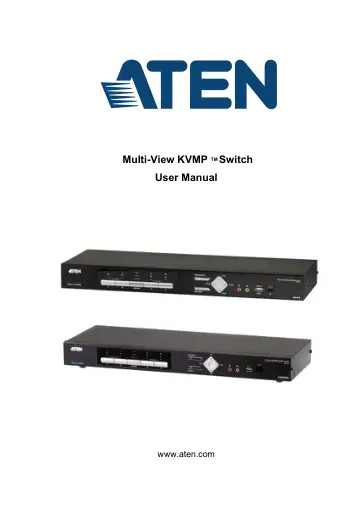
ATEN 4-Port USB HDMI Multi-View KVMP Switch (CM1284-AT-G) user manual
- Type
- User manual
- Language
- English
- Pages
- 128
- Category
- Docks & adapters
- Models
- CM1284-AT-G
Open PDFOpens the file on objects.icecat.biz.
Contents
- EMC Informationp. 2
FEDERAL COMMUNICATIONS COMMISSION INTERFERENCE STATEMENT: This equipment has been tested and found to comply with the limits for a Class A digital device…
- User Informationp. 3
Online Registration Be sure to register your product at our online support center: Telephone Support For telephone support, call this number: User Notice All…
- About this Manualp. 8
This User Manual is provided to help you get the most from your system. It covers all aspects of installation, configuration, and operation for the following…
- Conventionsp. 9
This manual uses the following conventions
- Product Informationp. 9
For information about all ATEN products and how they can help you connect without limits, visit ATEN on the Web or contact an ATEN Authorized Reseller. Visit…
- Chapter 1 Introductionp. 11
Overview The Multi-View KVMP TM Switch charts a revolutionary new direction in KVM switch functionality by combining a 4-port DVI-D (CM1164A) / 4-port HDMI…
- Chapter 2 Hardware Setupp. 23
Rack Mounting For convenience and flexibility, the Multi-View KVMP TM Switch can be mounted on system racks. To rack mount a unit, do the following: 1. Remove…
- Chapter 3 Basic Operationp. 37
Overview This chapter explains the basic components used to switch and display computers connected to the Multi-View KVMP TM Switch. Identifying the Source…
- Chapter 4 Hotkey Operationp. 57
The Multi-View KVMP TM Switch provides easy-to-use hotkeys to control and configure your KVM installation from the keyboard. Open the OSD Menu To activate the…
- Chapter 5 OSD Operationp. 63
Overview The Multi-View KVMP TM Switch can be operated and configured via the following OSD components: Quick Access Toolbar: This toolbar provides quick…
- Chapter 6 RS-232 Operationp. 75
Overview The Multi-View KVMP TM Switch supports system control via RS-232 serial commands sent through a PC or a high-end controller. Note that the RS-232…
- Chapter 7 System Maintenancep. 109
Firmware Upgrades New firmware packages are posted on our Website as new firmware revisions become available. Check the web site regularly to find the latest…
- Appendixp. 117
Safety Instructions General This product is for indoor use only. Read all of these instructions. Save them for future reference. Follow all warnings and…