Loading manual…
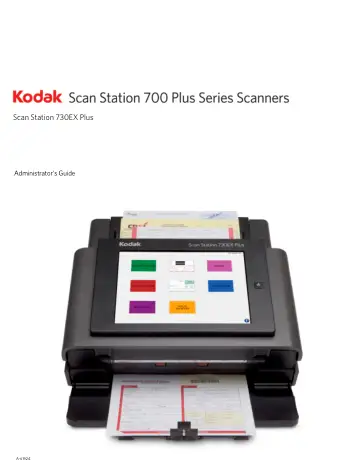
Kodak 730EX Plus (1060094) user manual
- Type
- User manual
- Language
- English
- Pages
- 180
- Category
- Scanners
- Models
- 730EX Plus
Open PDFOpens the file on objects.icecat.biz.
Contents
- Coverp. 1
A-619241924 Scan Station 730EX Plus Administrator's Guide
- Safetyp. 7
Place the Kodak Scan Station 700 Plus Series on a level work surface capable of supporting 9.97 kg (22 lbs.) • When placing the Scan Station, make sure that…
- Chapter 1 Overviewp. 9
The Kodak Scan Station 700 Plus Series scanners are designed as walk-up devices that require no host PC or application software. They work with and use an…
- Chapter 2 Pre-installation Checklistp. 17
Network configuration details Because the Scan Station is a network device, a basic knowledge of networking principles and terminology is helpful. You should…
- Chapter 3 Installation and Getting Startedp. 23
Setup overview Following is a list of things you need to do to prepare for configuring your Scan Station 700 Plus Series scanner. • Unpack your Scan Station(s)…
- Chapter 4 Configure Device Settingsp. 39
Device Settings The Device Settings option allows you to configure the Scan Station for sending emails, communicating with the Active Directory Server for…
- Chapter 5 Define Scan Settingsp. 53
Scan Settings provide basic image processing settings, such as, color/ grayscale/black and white, output file format, compression, and some advanced options…
- Chapter 6 Index Templatesp. 69
This chapter provides procedures for using the Index Template to define barcode and OCR regions and then use them to create a path and file name. An index…
- Chapter 7 Create Destinationsp. 85
This chapter provides procedures for adding destinations (e.g., email, network folder, printer, FTP, etc.). Accessing the Destinations screen 1. Select…
- Chapter 8 Add and Manage Groupsp. 107
This chapter provides procedures for adding and maintaining groups. Groups are a collection of network users whose names can be extracted from the Active…
- Chapter 9 Create Jobsp. 113
Because jobs are a collection of scan settings, index templates, destinations and groups of users, it is recommended that you create jobs after you have…
- Chapter 10 Monitor and Manage Your Scan Stationsp. 119
This chapter provides information for monitoring any Scan Stations that have been found on the network and configured. Scanners tab The Scanners tab contains…
- Chapter 11 Maintenancep. 145
Opening the Scan Station cover 1. Before opening the Scan Station cover, be sure the output tray cover is lowered. 2. Press and hold the Scan Station cover…
- Chapter 12 Troubleshootingp. 159
Problem solving Occasionally you may encounter a situation with your Scan Station where it may not function properly. Use the chart below as a guide to check…
- Chapter 13 Glossaryp. 165
Authentication credentials — username, password and optional domain name that grants the Scan Station access to network resources. Automatic configuration…
- Appendix A Regulatoryp. 169
Environmental information • The Kodak Scan Station 700 Plus Series is designed to meet worldwide environmental requirements. • Guidelines are available for the…
- Appendix B Supported Network Protocolsp. 173
The Scan Station 700 Plus Series scanners connect directly into an Ethernet-based IP network, using a standard RJ45 connection, working independently within…
- Appendix C Warranty - US and Canada onlyp. 175
Congratulations on the purchase of an Alaris Scanner. Alaris Scanners are designed to provide end users with the highest performance and reliability. All…
- Back coverp. 180
All trademarks and trade names used are the property of their respective holders. The Kodak trademark and trade dress are used under license from Eastman Kodak…