Loading manual…
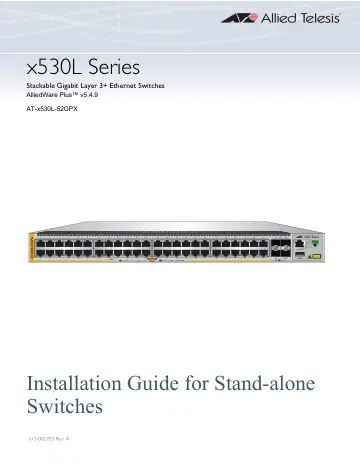
Allied Telesis AT-x530L-52GPX-50 (990-006520-50) installation instructions
- Type
- Installation instructions
- Language
- English
- Pages
- 108
- Category
- Network switches
- Models
- 990-006520-50
Open PDFOpens the file on objects.icecat.biz.
Contents
- Figuresp. 7
- Tablesp. 9
- Prefacep. 11
This guide contains the installation instructions for the x530L Series of stackable Gigabit, Layer 3+ Ethernet switches. This preface contains the following…
- Document Conventionsp. 12
This document uses the following conventions: Note Notes provide additional information. Caution Cautions inform you that performing or omitting a specific…
- Contacting Allied Telesisp. 13
If you need assistance with this product, you can contact Allied Telesis technical support by going to the Support & Services section of the Allied Telesis web…
- Chapter 1p. 15
Overview This chapter contains the following sections: “Front and Rear Panels” on page 16 “Management Panel” on page 17 “Features” on page 18 “Twisted…
- Overviewp. 15
This chapter contains the following sections: “Front and Rear Panels” on page 16 “Management Panel” on page 17 “Features” on page 18 “Twisted Pair…
- Chapter 2p. 39
Beginning the Installation The chapter contains the following sections: “Reviewing Safety Precautions” on page 40 “Choosing a Site for the Switch” on page…
- Beginning the Installationp. 39
The chapter contains the following sections: “Reviewing Safety Precautions” on page 40 “Choosing a Site for the Switch” on page 44 “Unpacking the Switch”…
- Chapter 3p. 47
Installing the Switch on a Table This chapter contains the instructions for installing the switch on a table or desktop. Warning Switches should not be stacked…
- Installing the Switch on a Tablep. 47
This chapter contains the instructions for installing the switch on a table or desktop. Warning Switches should not be stacked on a table or desktop. They…
- Chapter 4p. 51
Installing the Switch in an Equipment Rack This chapter provides instructions for installing the switch in an equipment rack. This chapter contains the…
- Installing the Switch in an Equipment Rackp. 51
This chapter provides instructions for installing the switch in an equipment rack. This chapter contains the following section: “Installing the Switch in an…
- Chapter 5p. 57
Installing the Switch on a Wall The procedures in this chapter are listed here: “Switch Orientations on a Wall” on page 58 “Installation Guidelines” on…
- Installing the Switch on a Wallp. 57
The procedures in this chapter are listed here: “Switch Orientations on a Wall” on page 58 “Installation Guidelines” on page 59 “Plywood Base for a Wall…
- Chapter 6p. 71
Powering On the Switch This chapter contains the following procedures: “Powering On the Switch” on page 72 “Monitoring the Initialization Processes” on…
- Powering On the Switchp. 71
This chapter contains the following procedures: “Powering On the Switch” on page 72 “Monitoring the Initialization Processes” on page 75
- Chapter 7p. 79
Configuring the Switch for Stand-alone Operations This chapter contains the following procedures: “Determining the Stand-alone or Stacking Status of the…
- Configuring the Switch for Stand-alone Operationsp. 79
This chapter contains the following procedures: “Determining the Stand-alone or Stacking Status of the Switch” on page 80 “Starting a Local Management…
- Chapter 8p. 87
Cabling the Networking Ports This chapter contains the following procedures: “Cabling Twisted Pair Ports” on page 88 “Guidelines to Handling SFP and SFP+…
- Cabling the Networking Portsp. 87
This chapter contains the following procedures: “Cabling Twisted Pair Ports” on page 88 “Guidelines to Handling SFP and SFP+ Transceivers” on page 89 …
- Chapter 9p. 95
Troubleshooting This chapter contains suggestions on how to troubleshoot problems with the switch. Note For further assistance, please contact Allied Telesis…
- Troubleshootingp. 95
This chapter contains suggestions on how to troubleshoot problems with the switch. Note For further assistance, please contact Allied Telesis Technical Support…
- Appendix Ap. 99
Technical Specifications This appendix contains the following sections: ”Physical Specifications” on page 100 ”Environmental Specifications” on page 101 …
- Technical Specificationsp. 99
This appendix contains the following sections: ”Physical Specifications” on page 100 ”Environmental Specifications” on page 101 ”Power Specifications” on…