Loading manual…
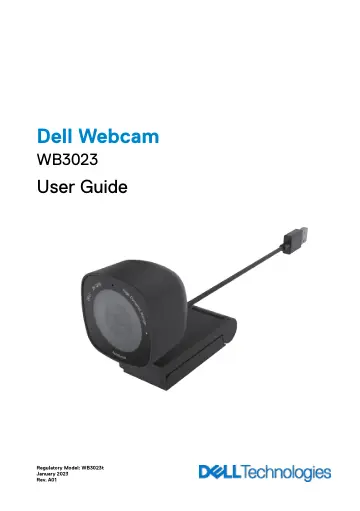
Dell Webcam - WB3023 - 2K QHD (WB3023-DEMEA) user manual
- Type
- User manual
- Language
- English
- Pages
- 18
- Category
- Webcams
- Models
- WB3023WB3023-DEMEA
Open PDFOpens the file on objects.icecat.biz.
Contents
- Viewsp. 6
1. Multi-element lens and Sony sensor 2. Microphone Note: Microphone enabled via Dell Peripheral Manager software on Windows and Dell Display and Peripheral…
- Setting up your webcam on a monitorp. 7
│ 7 1. Open the universal mounting clip as seen below. 2. Place the webcam on the monitor bezel and adjust the foot on the universal mounting clip at the back…
- Setting up your webcam on a tripodp. 9
│ 9 NOTE: Tripod is not included in the box. 1. Align the thread on the universal mount with the mounting screw on the tripod. Rotate the tripod adapter until…
- Featuresp. 10
Adjustable field-of-view: The Dell WB3023 webcam features a 78 degree field-of-view (FOV) and can be changed to 65 based on the user's preference. Adjusting…
- Specificationsp. 11
│ 11 Specifications Webcam camera stream data Stream video encoding engine Video format supported Field-of-View Focus Zoom Auto Light Correction Microphone*…
- Dell Peripheral Managerp. 12
What is Dell Peripheral Manager? The Dell Peripheral Manager application helps you manage and set up various Dell Peripherals connected to your Windows OS…
- What is Dell Peripheral Manager?p. 12
The Dell Peripheral Manager application helps you manage and set up various Dell Peripherals connected to your Windows OS computer. It allows the user to make…
- Installing Dell Peripheral Manager on Windowsp. 12
When you connect the device to your computer for the first time, Dell Peripheral Manager is downloaded and installed automatically through the Windows Update…
- Dell Display and Peripheral Managerp. 13
│ 13 Dell Display and Peripheral Manager
- What is Dell Display and Peripheral Manager on Mac?p. 13
Dell Display and Peripheral Manager (DDPM) is an Apple macOS application to manage a monitor or a group of monitors or webcams. Dell Display and Peripheral…
- Frequently asked questionsp. 14
1. What is the recommended configuration to install the Dell WB3023 webcam? Windows 10, 64-bit or newer. MacOS 12.3.1 or newer. One USB type-A port. 2. How do…
- Troubleshootingp. 15
│ 15 Troubleshooting Problem Possible solutions Recommended steps for webcam issues For any issues with the Dell WB3023 webcam, it is recommended to start by…
- Statutory informationp. 17
│ 17 Statutory information Warranty Limited warranty and return policies Dell WB3023 webcam ships with a 3-year limited hardware. If purchased together with a…
- Getting Helpp. 18
Contacting Dell NOTE: If you do not have an active Internet connection, you can find contact information on your purchase invoice, packing slip, bill, or Dell…
- Contacting Dellp. 18
NOTE: If you do not have an active Internet connection, you can find contact information on your purchase invoice, packing slip, bill, or Dell product catalog.…
- Stepsp. 18
Go to www.dell.com/support. 1. Select your support category. 2. Verify your country or region in the Choose a Country/Region drop-down list at the bottom of…