Loading manual…
Yealink VCM35 (1303144) user manual
- Type
- User manual
- Language
- English
- Pages
- 148
- Category
- Webcams
- Models
- VCM35
Open PDFOpens the file on objects.icecat.biz.
Contents
- Meetingp. 1
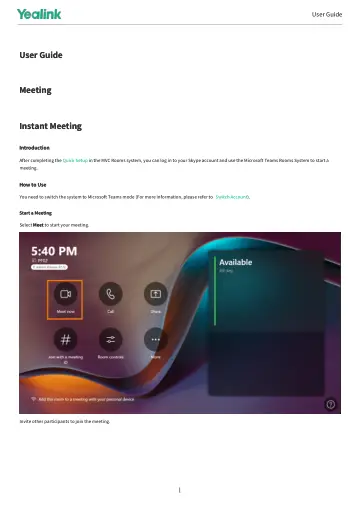
Instant Meeting Introduction After completing the Quick Setup in the MVC Rooms system, you can log in to your Skype account and use the Microsoft Teams Rooms…
- Content Sharingp. 23
- Whiteboardp. 30
when sharing screens? The MVC supports connecting the touch panel to control the whiteboard, please refer to Microsoft Teams Rooms Document. How to manually…
- Camera Controlsp. 31
- Audio Settingp. 104
Separate Microphone Mute Control Introduction If you use multiple microphones (VCM34/VCM38/CPW90-BT) in the meeting and the microphones are far away, you can…
- Accessoriesp. 116
When Connecting non-Yealink Devices When using Line and RCA interfaces to connect AVHub devices. 1. Click AVHub > Audio Settings. 2. Adjust AEC, NR, Gain and…
- Single & Dual Dispalyp. 141
Single and Dual Layouts Introduction We recommend connecting at least one external display to the MCore/Mini-PC to enjoy the video and content sharing in the…
- BYOD Modep. 143
Introduction BYOD, i.e., Bring Your Own Device. In BYOD mode, you can use the audio and video device of the MVC conference system as a peripheral for…
- CECp. 148
Introduction The CEC functionality in MVC refers to the synchronized wake-up feature between the MVC and the TV display. The MTouchII device is equipped with a…