Loading manual…
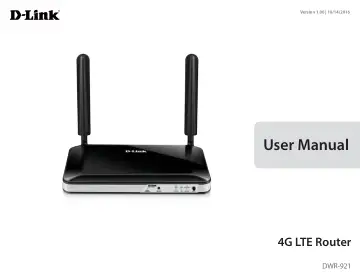
D-Link DWR-921 user manual
- Type
- User manual
- Language
- English
- Pages
- 110
- Category
- Routers & Wi-Fi
- Models
- DWR-921
Open PDFOpens the file on objects.icecat.biz.
Contents
- Product Overviewp. 5
Package Contents If any of the above items are missing, please contact your reseller
- System Requirementsp. 5
* Subject to services and service terms available from your carrier. • A compatible mini-SIM/UICC card with service.* • Computer with Windows, Mac OS, or…
- Introductionp. 6
The D-Link 4G LTE Router allows users to access worldwide mobile broadband networks. Once connected, users can transfer data, stream media, and send SMS…
- Hardware Overviewp. 7
Front View 1 Reset Button Press this button with an unfolded paperclip and hold for ten seconds to reset the device. 2 SMS LED Will be solid green if the SMS…
- Front Viewp. 7
Reset Button Press this button with an unfolded paperclip and hold for ten seconds to reset the device. 2 SMS LED Will be solid green if the SMS inbox is full…
- Back Viewp. 8
- Installationp. 9
Before You Begin Installation This section will guide you through the installation process. Placement of the router is very important. Do not place the router…
- Before You Beginp. 9
Installation This section will guide you through the installation process. Placement of the router is very important. Do not place the router in an enclosed…
- Wireless Installation Considerationsp. 10
The DWR-921 can be accessed using a wireless connection from anywhere within the operating range of your wireless network. Keep in mind that the quantity…
- Configurationp. 11
To access the configuration utility, open a web browser such as Internet Explorer and enter the address of the router (192.168.0.1 by default). To log in to…
- Getting Startedp. 11
- Internetp. 12
Select the Internet connection type specified by your ISP. The corresponding settings will be displayed below. Please see the following sections for details on…
- WAN Servicep. 12
On this page you can configure your Internet connection. If you are not sure which settings to use, please contact your Internet Service Provider (ISP)
- Dynamic IP (DHCP)p. 12
If the Internet host you are using requires you to enter a host name, enter it here. In most cases, you may leave this blank. (Optional) Fill in with IP…
- Wizardp. 23
This wizard will guide you through a step-by-step process to configure your router to connect to the Internet. Click Next to continue. Note: While using the…
- Failoverp. 27
Select Failover to enable the failover function. This option should be set to an external IP address that can be used to ensure that the 3G/4G LTE connection…
- IPv6p. 28
Link-local Only Displays the IPv6 address of the router. Click Apply to save your settings, or Refresh to revert to your previous settings. LAN IPv6 Link-…
- Link-local Onlyp. 28
Displays the IPv6 address of the router. Click Apply to save your settings, or Refresh to revert to your previous settings. LAN IPv6 Link- Local Address: To…
- Static IPv6p. 29
Enter the static IPv6 address of the router. Enter the subnet prefix length. Enter the default gateway address. Enter the primary and secondary DNS server…
- Autoconfiguration (SLAAC/DHCPv6)p. 30
Select either Obtain DNS server address automatically or Use the following DNS address. Enter the primary and secondary DNS server addresses. Check to enable…
- PPPoEp. 31
Enter your PPPoE user name. Enter your PPPoE password and then retype the password in the next box. Enter the ISP Service Name (optional). Maximum Transmission…
- Device Listp. 32
This page displays a list of currently-connected wireless clients, and their respective MAC addresses
- Wi-Fi Settingsp. 32
Check this box to enable wireless access. When you enable this option, the following parameters take effect. Also known as the SSID (Service Set Identifier)…
- WPSp. 34
features. If you use Windows 7’s Connect to a network wizard to do initial configuration of the router, you will need to enter the WPS PIN/AP PIN into the…
- Wi-Fi Advancedp. 36
This page contains settings which can negatively affect the performance of your router if configured improperly. Do not change these settings unless you are…
- LANp. 38
Device List This page displays a list of currently-connected wireless clients, and their respective MAC addresses
- Device Listp. 38
- LAN Settingsp. 38
Enter the IP address you want to use for the router. The default IP address is 192.168.0.1. If you change the IP address, you will need to enter the new IP…
- DHCPp. 39
Select this box to enable the DHCP server on your router. Enter the range of IPs for the DHCP server to use to assign IP addresses to devices on your network.…
- Advancedp. 40
DNS Tick this checkbox to enable the DDNS feature. Select a DDNS service provider to use. Enter the Host Name that you registered with your DDNS service…