Loading manual…
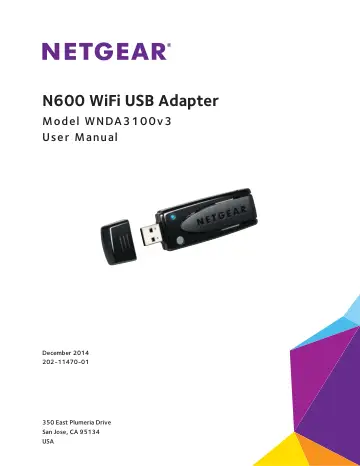
Netgear N600 (WNDA3100-200PES) user manual
- Type
- User manual
- Language
- English
- Pages
- 28
- Category
- PC components
- Models
- WNDA3100-200PES
Open PDFOpens the file on objects.icecat.biz.
Contents
- N600 WiFi USB Adapterp. 1
Model WNDA3100v3 User Manual
- 1. Get Started and Connect to a WiFi Networkp. 4
The NETGEAR N600 WiFi USB Adapter connects your computer over WiFi to a network for secure and reliable Internet connections. This chapter describes how to set…
- Install and Set Up NETGEAR geniep. 5
You can set up NETGEAR genie and use it to join a WiFi network. If you do not want to use NETGEAR genie, you can install a Windows standalone driver and use…
- Install Windows Standalone Driverp. 7
For Windows 8.1, Windows 8, Windows 7, and Windows Vista, you can install the Windows standalone driver without NETGEAR genie and use the Windows WLAN…
- Join a WiFi Network Using NETGEAR geniep. 8
To join a WiFi network using NETGEAR genie: 1. Insert the adapter into a USB port on your computer. 2. Click the adapter’s NETGEAR genie icon that displays…
- Join a Network Using WPSp. 9
Wi-Fi Protected Setup (WPS) is a standard for easily adding computers and other devices to a home network while maintaining security. Before you use the WPS…
- Join a Network Using a Standalone Driverp. 10
For Windows 8.1, 8.0, 7, and Vista, you can install the Windows standalone driver without genie and use the Windows WLAN Autoconfig service to join a network.…
- Join a Hidden Networkp. 11
A hidden network does not broadcast its SSID. If the network name is not displayed in the network list in the Adapter genie screen, the network that you are…
- 2. Monitor and Maintain the Adapterp. 16
This chapter includes the following sections: • Check Your Connection Status • View More Information About the Adapter and Network • Get Diagnostic Information…
- Check Your Connection Statusp. 17
When you install your adapter, the adapter’s NETGEAR genie icon displays in the Windows system tray and on the desktop. You can double-click this icon to open…
- View More Information About the Adapter and Networkp. 18
You can view more information such as packet statistics, IP address, type of security, and MAC address. To view more information about the adapter and…
- Get Diagnostic Information for the Adapterp. 19
You can display and save the following diagnostic information: • System information • IP information • Client driver and profile information • Site survey…
- Upgrade the Adapter Softwarep. 20
You can check for software updates and upgrade the adapter’s software. Note: During the software update process, the old software version is removed and all…
- Uninstall the Adapter Softwarep. 21
You can remove the adapter genie software. To uninstall the adapter software: 1. Click the Windows Start button. 2. Select All Programs > NETGEAR WNDA3100v3…
- 3. Troubleshooting and Frequently Asked Questionsp. 23
This chapter covers the following topics: • Frequently Asked Questions • Adapter LED Is Not Lit • Cannot Join a WiFi Network • Cannot Access the Internet After…
- Frequently Asked Questionsp. 24
N600 WiFi USB Adapter Frequently Asked Questions Why don’t I see the adapter’s NETGEAR genie icon in the Windows system tray? Check to make sure that your…
- Adapter LED Is Not Litp. 25
The adapter LED lights blue when it connects to a WiFi network. The LED blinks if you are using WPS to connect to a WiFi network. If the LED does not light…
- Cannot Join a WiFi Networkp. 25
Try the following tips: • Before you use the adapter to join a WiFi network for the first time, you must install the adapter software or drivers. See Install…
- Cannot Access the Internet After Joining a WiFi Networkp. 26
Try the following tips: • Make sure that you are connected to the correct WiFi network. • Use the adapter’s NETGEAR genie software to check the status of your…
- Cannot Access Shared Resources Such as Printersp. 26
If you are connected to a network and cannot access resources, check the following: • The router or access point is physically connected to the Ethernet…
- A. Factory Default Settings and Technical Specificationsp. 27
This appendix covers the following topics: • Factory Default Settings • Technical Specifications
- Factory Default Settingsp. 28
- Technical Specificationsp. 28
N600 WiFi USB Adapter Factory Default Settings The following table lists the default settings of your adapter. Table 1. Factory default settings Default…