Loading manual…
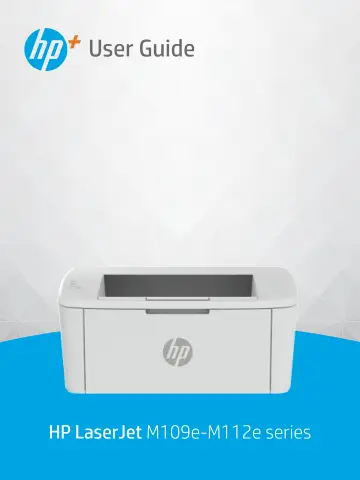
HP LaserJet M110we Wireless Black and white Printer (7MD66E) user manual
- Type
- User manual
- Language
- English
- Pages
- 105
- Category
- Printers
- Models
- 7MD66E
Open PDFOpens the file on objects.icecat.biz.
Contents
- 1. Get startedp. 9
Get started 1 This section describes the printer parts, control panel features, and other printer functionalities. Printer views Identify main parts of the…
- 2. Connect your printerp. 14
Connect your printer 2 This section describes different ways to connect your printer. Requirements for HP+ printers This topic describes the requirements for…
- 3. Load mediap. 18
Load media 3 This section describes how to load different media into the printer and to load an original on the scanner glass. Load paper This topic describes…
- 4. Printp. 23
Print 4 This section describes how to print from different devices. NOTE: When the Attention and Ready lights are blinking, the printer is initializing…
- 5. Configure your printerp. 29
Configure your printer 5 This section describes how to configure your printer. Configure the printer using the Embedded Web Server (EWS) Use the HP Embedded…
- 6. Supplies, accessories, and partsp. 36
Supplies, accessories, and parts 6 Order supplies or accessories, replace the toner cartridges, or remove and replace another part. The printer only works with…
- 7. Solve problemsp. 40
Solve problems 7 This section suggests solutions to common problems. You can also get help from the HP Smart app. HP Smart provides alerts for printer issues…
- A. Printer specificationsp. 66
Printer specifications A This topic describes the printer specifications. Review the requirements listed in Before you begin. IMPORTANT: The following…
- B. Service and supportp. 69
Service and support B HP limited warranty statement Table B-1 HP limited warranty statement HP PRODUCT DURATION OF LIMITED WARRANTY* HP LaserJet M109e-M112 e…
- C. Environmental product stewardship programp. 88
Environmental product stewardship program C Protecting the environment HP is committed to providing quality products in an environmentally sound manner. This…
- D. Regulatory informationp. 96
Regulatory information D Regulatory statements Regulatory model identification numbers For regulatory identification purposes, your product is assigned a…