Loading manual…
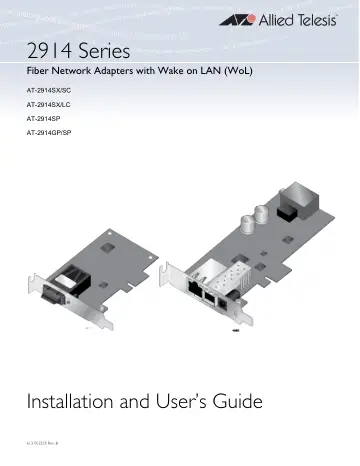
Allied Telesis 2914SX/LC (AT-2914SX/LC-901) user manual
- Type
- User manual
- Language
- English
- Pages
- 114
- Category
- PC components
- Models
- AT-2914SX/LC-901
Open PDFOpens the file on objects.icecat.biz.
Contents
- Prefacep. 11
This manual is the installation and user’s guide for the 2914 Series of Fiber Network Adapters with WoL. The network adapters included in this series are: …
- Chapter 1p. 15
Introduction This chapter provides an introduction to the 2914 Series of Fiber Optic Network Adapters with WoL. This chapter contains the following sections: …
- Introductionp. 15
This chapter provides an introduction to the 2914 Series of Fiber Optic Network Adapters with WoL. This chapter contains the following sections: …
- Chapter 2p. 29
Installing the Hardware This chapter contains the following sections: “System Requirements” on page 30 “Reviewing Safety Precautions” on page 31 …
- Installing the Hardwarep. 29
This chapter contains the following sections: “System Requirements” on page 30 “Reviewing Safety Precautions” on page 31 “Pre-Installation Checklist” on…
- Chapter 3p. 43
Installing the Driver Software This chapter describes how to install driver software for the 2914 series network adapter onto your Windows platform. It…
- Installing the Driver Softwarep. 43
This chapter describes how to install driver software for the 2914 series network adapter onto your Windows platform. It contains the following topics: …
- Chapter 4p. 55
Configuring the VLAN and Priority This chapter describes how to access the CLI on the AT-2914GP/SP network adapter and change the VLAN and priority settings.…
- Configuring the VLAN and Priorityp. 55
This chapter describes how to access the CLI on the AT-2914GP/SP network adapter and change the VLAN and priority settings. It contains the following topics: …
- Chapter 5p. 65
Configuring a VoIP Phone System This chapter describes how to configure a VoIP phone system using the AT-2914GP/SP network adapter. It contains the following…
- Configuring a VoIP Phone Systemp. 65
This chapter describes how to configure a VoIP phone system using the AT-2914GP/SP network adapter. It contains the following topics: “Overview” on page 66 …
- Chapter 6p. 69
Modifying Advanced Properties This chapter includes the following topics: “Overview” on page 70 “Accessing Advanced Properties” on page 71 “802.3az EEE”…
- Modifying Advanced Propertiesp. 69
This chapter includes the following topics: “Overview” on page 70 “Accessing Advanced Properties” on page 71 “802.3az EEE” on page 72 “ARP Offload” on…
- Chapter 7p. 99
Uninstalling the Driver Software This chapter describes how to uninstall the driver software for the 2914 series network adapter. This chapter contains the…
- Uninstalling the Driver Softwarep. 99
This chapter describes how to uninstall the driver software for the 2914 series network adapter. This chapter contains the following topics: “Overview” on…
- Chapter 8p. 103
Troubleshooting This chapter describes troubleshooting procedures. It contains the following sections: “Checking the Port LED on the Adapter” on page 104 …
- Troubleshootingp. 103
This chapter describes troubleshooting procedures. It contains the following sections: “Checking the Port LED on the Adapter” on page 104 “Fiber Optic…
- Appendix Ap. 111
Specifications Physical Specifications Environmental Specifications Operating Temperature: 0°C to 50°C (32°F to 122°F) Storage Temperature: -25°C to 80°C…
- Specificationsp. 111
Physical Specifications Environmental Specifications Operating Temperature: 0°C to 50°C (32°F to 122°F) Storage Temperature: -25°C to 80°C (-°13F to 176°F)…