Loading manual…
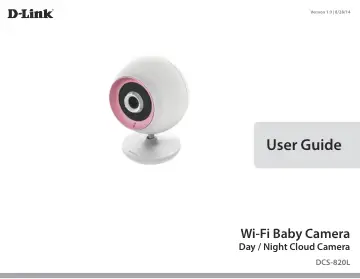
D-Link DCS-820L user manual
- Type
- User manual
- Language
- English
- Pages
- 44
- Category
- Baby care
- Models
- DCS-820L
Open PDFOpens the file on objects.icecat.biz.
Contents
- Manual Revisionsp. 2
Revision Date Description 1.0 August 28, 2014 • Initial release
- Trademarksp. 2
© 2014 D-Link. All Rights Reserved. D-Link and the D-Link logo are trademarks or registered trademarks of D-Link Corporation or its subsidiaries. All other…
- Product Overviewp. 4
Package Contents If any of the above items are missing, please contact your reseller. DCS-820L Wi-Fi Baby Camera Wall Mount Kit Power adapter Blue and Pink…
- System Requirementsp. 5
Mobile Requirements • For mobile requirements refer to Compatibility List on mydlink Baby app page: App Store and Google Play Computer Requirements • Computer…
- Introductionp. 6
Keep an eye on your little one with the DCS-820L Wi-Fi Baby Camera. This portable camera transforms your mobile device into a versatile, yet easy-to-use baby…
- Important Safety Informationp. 7
The DCS-820L is designed to meet the highest safety standards. Please make sure that it is set up and used correctly. It is very important that you follow the…
- Hardware Overviewp. 9
Night Vision (IR) LEDs Infrared LEDs illuminate the camera's field of view at night. 2 Focus Ring Used to adjust the focus. 3 Camera Lens Allows you to record…
- Installationp. 12
This D-Link camera can connect to your wireless network from anywhere within the operating range of your wireless network. However, the number, thickness, and…
- Wireless Installation Considerationsp. 12
- Camera Setupp. 13
2. Remotely... Connect to your DCS-820L using the Internet. Connect to your DCS-820L through your home wireless network. 1. At Home... Note: You can also…
- Mounting the Camerap. 14
1. Use a 6mm drill bit to drill two holes that are 43mm apart, and at least 30mm deep. 4. Make sure the camera is positioned so that the D-Link logo is at the…
- Download the mydlink Baby Appp. 15
mydlink Baby Camera Monitor (Free) Search for mydlink Baby in the App Store or Google Play. You can download and install the app on your smartphone or tablet…
- Set Up a New Camera with the mydlink Baby Appp. 19
Once the mydlink Baby app is installed, simply tap on the icon to open the app. The next screen you see is the Setup Wizard. Tap Setup to launch the Setup…
- Monitoringp. 20
mydlink Baby App Home Screen Once the setup process is complete, you will see the mydlink Baby app Home Screen. 1 1 Login Tap on the mydlink Login icon to…
- mydlink Baby App Home Screenp. 20
Once the setup process is complete, you will see the mydlink Baby app Home Screen. 1 1 Login Tap on the mydlink Login icon to remotely access your DCS-820L. 2…
- mydlink Baby App Live Viewp. 21
At any time, tap on the Live View screen to return to the Home screen, and to access both the Settings and Configuration menus. 1 Return Tap on the Return icon…
- Configurationp. 22
At any time after you complete the Setup Wizard, you may tap on the Live View screen to access the Configuration menu. The configuration icon is in the upper…
- mydlink Baby App Configurationp. 22
- mydlink Baby App Settingsp. 25
Change the Speaker Volume on your camera for two-way audio communication and lullabies Adjust the Brightness of the Live View image Tap this icon to open the…
- Video Recording and Playbackp. 26
Tap the Camera icon to take a snapshot in snapshot mode. The camera button changes to a round button when the DCS-820L is in recording mode. (A red button will…
- Taking Snapshots or Recording Videosp. 26
Tapping on the Camera icon will allow you to access the recording mode. (See toggle description below right.) When you take snapshots or record videos, the…
- Playback of Event-Triggered Videosp. 27
If you need additional memory for video recording, the DCS-820L has an integrated microSD card slot. Simply insert a microSD card and the DCS-820L will…
- Creating a mydlink Accountp. 28
- Advanced Featuresp. 29
Enabling Direct Connect 1 Press and hold the Direct Connect button on the bottom of the camera for at least five seconds. The Cloud LED will start blinking…
- Enabling Direct Connectp. 29
Press and hold the Direct Connect button on the bottom of the camera for at least five seconds. The Cloud LED will start blinking blue, indicating the Direct…
- Troubleshootingp. 31
2. What should I do if the image is out of focus? You can turn the white focus ring on the front of the camera to adjust the focus. 3. How do I change the…
- Technical Specificationsp. 34
- Contacting Technical Supportp. 36
U.S. and Canadian customers can contact D-Link technical support through our web site or by phone. Before you contact technical support, please have the…
- Warrantyp. 37
Subject to the terms and conditions set forth herein, D-Link Systems, Inc. (“D-Link”) provides this Limited Warranty: • Only to the person or entity that…
- Registrationp. 44
Version 1.0 August 28, 2014 Product registration is entirely voluntary and failure to complete or return this form will not diminish your warranty rights.…