Loading manual…
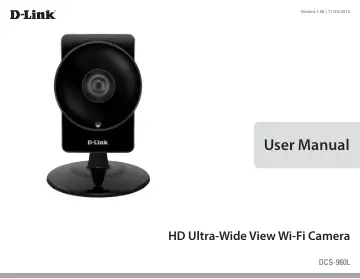
D-Link DCS-960L user manual
- Type
- User manual
- Language
- English
- Pages
- 69
- Category
- Security cameras
- Models
- DCS-960L
Open PDFOpens the file on objects.icecat.biz.
Contents
- Product Overviewp. 4
DCS-960L HD Ultra-Wide View Wi-Fi Camera • Power Adapter • Mounting Kit • Quick Install Guide • Quick Install Card Note: Using a power supply with a different…
- System Requirementsp. 4
802.11ac/n/g/a router (a D-Link Cloud Router is recommended) • A broadband Internet connection • iPhone, iPad, Android, or Windows smartphone or tablet (please…
- Introductionp. 5
The DCS-960L HD Ultra-Wide View Wi-Fi Camera boasts a horizon-wide 180° lens that easily captures your entire room, wall-to-wall, in high-quality 720p. Its…
- Featuresp. 5
- Hardware Overviewp. 6
Front View Camera Lens Microphone IR LEDs (behind cover) Light Sensor
- Installationp. 8
There are two ways to set up your camera: mydlink Lite Mobile App: You can use the mydlink Lite mobile app to guide you through setup and initial configuration…
- Wireless Installation Considerationsp. 9
This camera can connect to your network using a wireless connection from anywhere within the operating range of your wireless network. However, the number…
- Mobile App Setupp. 10
You can configure your camera through the mydlink Lite mobile app. On your mobile device, download mydlink Lite by searching for mydlink Lite in the iTunes App…
- Zero Configuration Setupp. 11
If you have a mydlink-enabled Cloud Router, you can take advantage of Zero Configuration Setup. Zero Configuration automatically configures your camera’s…
- Mounting the Camerap. 14
To mount your camera on a wall or ceiling, please follow the steps below. It is recommended that you configure the camera before mounting. 1 Step 1 Turn the…
- mydlinkp. 16
After registering your camera with a mydlink account, you will be able to remotely access your camera from the www.mydlink.com website. After signing in to…
- Configurationp. 17
Accessing the Web Configuration Utility After installing and setting up your camera with the mydlink Lite app, you are ready to use your camera. The camera’s…
- Accessing the Web Configuration Utilityp. 17
After installing and setting up your camera with the mydlink Lite app, you are ready to use your camera. The camera’s built-in Web configuration utility is…
- Live Videop. 18
The Live Video page lets you view the live video stream from your camera. Please make sure that you have the latest version of Java installed on your computer…
- Setupp. 20
Wizard You may choose to configure your network by using the Internet Connection Setup Wizard that includes step-by-step instructions. Please refer to Internet…
- Maintenancep. 45
Admin This section allows you to change the administrator’s password and configure the server settings for your camera. You can also manage the user account(s)…
- Statusp. 48
Device Info This section displays information about your camera and its current network and wireless status.
- Troubleshootingp. 51
1. Why is the camera view hazy or bright when using night vision mode? The IR night vision lights on your camera may be reflecting off of a nearby surface or…
- Technical Specificationsp. 52
Camera Camera Hardware Profile • 1/2.7” Megapixel progressive CMOS sensor • 5 meter IR illumination distance • Minimum illumination: • Color (Day Mode), IR…
- Regulatory Informationp. 54
Federal Communication Commission Interference Statement This equipment has been tested and found to comply with the limits for a Class B digital device…