Loading manual…
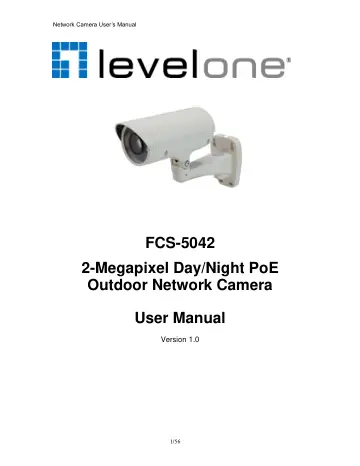
LevelOne Zoom Network camera (FCS-5042) user manual
- Type
- User manual
- Language
- English
- Pages
- 56
- Category
- Security cameras
- Models
- FCS-5042
Open PDFOpens the file on objects.icecat.biz.
Contents
- Overviewp. 3
Law in your country may prohibit the use of surveillance devices. The Network Camera is not only a high-performance web-ready camera but also can be part of a…
- Connectionsp. 5
Hardware description Plan view panel Inner View
- Hardware descriptionp. 5
Plan view panel Inner View
- Hardware Installationp. 6
1. Attach the Network Camera with the included stand 2. Place the Camera fix it onto ceiling or wall Use screws to fix the Network Camera onto the ceiling or…
- Connect to the Network Camerap. 8
Install the IP Finder program When you installed your Network camera on your LAN environment, you may install “IP Finder” to discover Network camera’s IP…
- Install the IP Finder programp. 8
When you installed your Network camera on your LAN environment, you may install “IP Finder” to discover Network camera’s IP address. The Administrator must…
- Bonjour programp. 15
Safari browser supports Bonjour search program the will search for all family network devices on the same LAN.
- C2.mylevel1.com (Free DDNS service)p. 16
1. When you want to connect the network camera over Internet, you can use the service “C2.mylevel1.com”. The “ip-discovery.com” is a free DDNS server for this…
- Initial Access to the Network Camerap. 17
(1) For the initial access to the Network Camera in Windows, the web browser may prompt for permission to install a new plug-in for the Network Camera. This…
- Primary user’s capabilityp. 18
Main Screen with Camera View The main page has three parts: 1. Configuration functions: The camera can be configured using these user interfaces. 2. Connection…
- Main Screen with Camera Viewp. 18
The main page has three parts: 1. Configuration functions: The camera can be configured using these user interfaces. 2. Connection control buttons: These…
- Client Settingp. 21
1. “Intranet Protocol Options” Setting camera in intranet mode of protocol. “UDP” Select use UDP protocol connect camera. “TCP” Select use TCP protocol connect…
- Definitions in Configurationp. 23
Please note that only the Administrator can access the system configuration. Each category in the left column will be explained on the following pages
- System parametersp. 23
1. “General Setting” (1) “Host name” The text displays the title on the top of the main page. Firmware version
- Securityp. 25
setting The administrator account name is “root”, which is permanent and can not be deleted. If you want to add more accounts in the Manage User column, please…
- Networkp. 26
Camera User’s Manual 26/56 (3) “Update a existing user” Select an existing user name. Administrators can modify user’s password and privilege. Click Finish to…
- Access listp. 29
setting 1. How to control access permission by verifying the client PC’s IP address. General Settings. General Settings ◆ Add a rule to configure an…
- Audio and Video settingp. 32
- Video recordp. 36
Schedule mode (1) “Every day” Enable/Disable every day application. (2) “Week day” Enable/Disable week day application. (3)“Selected day” Enable/Disable…
- Streamp. 38
Audio codec setting (1)“Audio codec type” There are two choices of audio codec types available: ”AMR”、 “AAC” and ”G.711”. (2) “Bit rate” -- “AMR” The bit rates…
- Applicationp. 40
- Storagep. 43
Manage the storage device. Storage Status Here show the storage device information. NAS server setting 1 2 3
- Syslogp. 45
The Network camera supports log the system messages on remote server. The protocol is compliant to RFC 3164. If you have external Linux server with sys log…
- Status and Parametersp. 46
User can find a lot of information about the system such as “Upnp port forwarding”, “Traversing NAT”, “Public IP”, and so on. User also can get the number of…
- Maintenancep. 47
1. “Reboot system” The “Reboot” button will reboot the Network Camera. It’s useful while the Network Camera got problem. 2. “Restore system” Click on “Restore”…
- Appendixp. 49
- A. Troubleshooting & Frequently Asked Questionsp. 49
- B. Technical specificationsp. 55
System RAM: 4G bit DDRⅢ ROM: 16MB Flash ROM - Camera specification 1/2.7 inch color CMOS sensor, Resolution: 1920x1080 1.0Lux/F2.0 AGC, AWB, AEC - Infrared Led…