Loading manual…
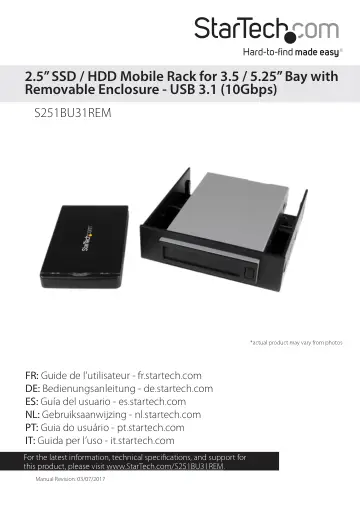
StarTech.com Hot-Swap Hard Drive Bay for 2.5" SATA SSD / HDD (S251BU31REM) user manual
- Type
- User manual
- Language
- English
- Pages
- 11
- Category
- Storage & drives
- Models
- S251BU31REM
Open PDFOpens the file on objects.icecat.biz.
Contents
- Introductionp. 4
The S251BU31REM combines the benefits of a portable drive enclosure with the features of a drive bay, enabling you to swap, replace, or transport a drive, as…
- Product diagramp. 4
Power LED Activity LED SATA power connector SATA data connector USB 3.1 Micro-B port Housing assembly screw Housing assembly screw Drive enclosure
- Requirementsp. 6
2.5” SSD or HDD • Computer or server chassis with 5.25” or 3.5” front bay • Internal SATA port on motherboard or SATA controller card • Power supply with a…
- Install a drive in the enclosurep. 7
Warning! Drives should be handled carefully, especially when you transport them. If you’re not careful with your drives, you may experience lost or corrupted…
- Attach the drive bay to the bracketp. 7
Note: If you’re installing the Drive bay into a 3.5” bay, you don’t need to use the Adapter bracket. 1. Slide the Drive bay into the Adapter bracket. 2. Make…
- Install the drive bay into a computerp. 8
Warning! Make sure that you’re properly grounded by wearing an anti-static strap when you install any computer component. If an anti-static strap isn’t…
- Install the enclosure into the drive bayp. 9
After the Drive bay is installed in your computer, carefully slide the Drive enclosure into the Slot on the front of the Drive bay. To remove the Drive…
- About the LED indicatorsp. 9
The Drive enclosure features a green Power LED and a red Activity LED. LED behavior Significance The Power LED is illuminated The enclosure is receiving power…
- Technical supportp. 10
StarTech.com’s lifetime technical support is an integral part of our commitment to provide industry-leading solutions. If you ever need help with your product…
- Warranty informationp. 10
This product is backed by a two-year warranty. StarTech.com warrants its products against defects in materials and workmanship for the periods noted, following…