Loading manual…
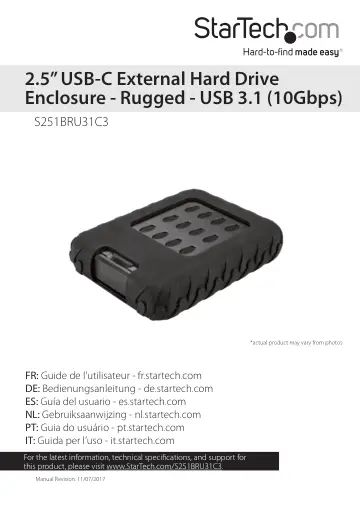
StarTech.com USB 3.1 External Hard Drive Enclosure (S251BRU31C3) user manual
- Type
- User manual
- Language
- English
- Pages
- 11
- Category
- Storage & drives
- Models
- S251BRU31C3
Open PDFOpens the file on objects.icecat.biz.
Contents
- Product diagramp. 4
USB Type-C™ port Latch SATA connectors Protective sleeve Latch Protective casing
- Requirementsp. 5
Computer system with a USB port • 2.5” SSD or HDD The S251BRU31C3 is OS independent and doesn’t require any additional drivers or software. To obtain the…
- About USB 3.1 Gen 2p. 5
USB 3.1 Gen 2 connectivity standard offers speeds up to 10Gbps. The S251BRU31C3 is backwards compatible and supports USB 2.0 and USB 3.1 Gen 1 (5Gbps).
- Install a drivep. 6
Warning! Drives should be handled carefully, especially when you transport them. If you’re not careful with your drives, you may experience lost or corrupted…
- Connect the rugged enclosurep. 7
The rugged enclosure comes with a USB-C to USB-C cable and a USB-C to USB-A cable. When you connect the rugged enclosure, make sure that you use the cable…
- Prepare a drive for usep. 7
” topic. Note: The rugged enclosure doesn’t require an external power supply, as it receives enough power through the USB bus that it’s connected to. When the…
- Windows OSp. 7
If you install a brand-new drive that doesn’t contain any data, you must prepare the drive for use. Warning! When you complete the following steps, all of the…
- macOSp. 8
- Remove a hard drivep. 9
Caution! Do not remove the hard drive from the drive enclosure when a task is in progress
- Windows OSp. 9
1. Click the Safely remove Hardware and Eject Media icon in the task bar. 2. Select the hard drive from the list of storage devices. 3. Wait for a message to…
- macOSp. 9
1. Close any open windows that list the contents of the hard drive. 2. On the desktop, drag the USB storage icon onto the trash can icon. 3. Wait 15 seconds.…
- Technical supportp. 10
StarTech.com’s lifetime technical support is an integral part of our commitment to provide industry-leading solutions. If you ever need help with your product…
- Warranty informationp. 10
This product is backed by a two-year warranty. StarTech.com warrants its products against defects in materials and workmanship for the periods noted, following…