Loading manual…
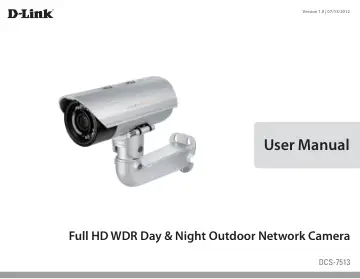
D-Link DCS-7513 user manual
- Type
- User manual
- Language
- English
- Pages
- 71
- Category
- Security cameras
- Models
- DCS-7513
Open PDFOpens the file on objects.icecat.biz.
Contents
- Introductionp. 5
The DCS‑7513 Full HD WDR Day & Night Outdoor Network Camera is a professional surveillance and security solution for small, medium, and large enterprises…
- System Requirementsp. 5
- Featuresp. 6
and functionality for the Network Camera and allows administrators to configure and access the Network Camera from a remote site via Intranet or Internet.…
- Hardware Overviewp. 7
Camera Lens Vari-focal lens to record video of the surrounding area 2 Light Sensor The light sensor measures the lighting conditions and switches between color…
- Assembly and Installationp. 11
Installing an SD Card 3 Step 1 Place the camera face down on a non-slip flat surface. Step 3 Remove the base of the camera by holding the camera firmly and…
- Installing an SD Cardp. 11
Step 1 Place the camera face down on a non-slip flat surface. Step 3 Remove the base of the camera by holding the camera firmly and rotating the base in a…
- Mounting the Camerap. 13
The DCS-7513 is suitable for mounting to a wall using the camera shoe and wire-in bracket provided. Step 1 Straighten the two sets of cables from the camera…
- Camera Installation Wizardp. 19
Step 1 Connect the network camera to a hub via an Ethernet cable. Step 2 Connect the supplied power cable from the camera to a power outlet. General Connection…
- Configurationp. 27
Using the Configuration Interface After completing the Camera Installation Wizard, you are ready to use your camera. The camera’s built-in Web configuration…
- Using the Configuration Interfacep. 27
After completing the Camera Installation Wizard, you are ready to use your camera. The camera’s built-in Web configuration utility is designed to allow you to…
- Live Videop. 28
This section shows your camera’s live video. You may select any of the available icons listed below to operate the camera. You may also select your language…
- Setupp. 30
Wizard To configure your Network Camera, click Internet Connection Setup Wizard. Alternatively, you may click Manual Internet Connection Setup to manually…
- Advancedp. 58
Digital Input/Output This screen allows you to control the behavior of digital input and digital output devices. The I/O connector provides the physical…
- Maintenancep. 62
Device Management You may modify the name and administrator’s password of your camera, as well as add and manage the user accounts for accessing the camera.…
- Statusp. 65
Device Info This page displays detailed information about your device and network connection.
- DI/DO Specificationsp. 68
- Technical Specificationsp. 69
Camera Camera Hardware Profile 1/2.8” 2 Megapixel progressive CMOS sensor 30 meter IR illumination distance Minimum illumination 0 Lux with IR LED on…