Loading manual…
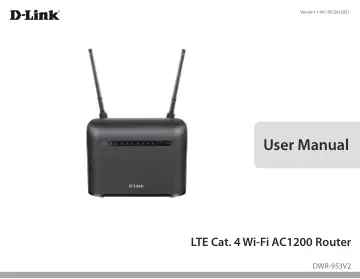
D-Link LTE Cat4 Wi-Fi AC1200 Router (DWR-953V2) user manual
- Type
- User manual
- Language
- English
- Pages
- 100
- Category
- Routers & Wi-Fi
- Models
- DWR-953V2
Open PDFOpens the file on objects.icecat.biz.
Contents
- Product Overviewp. 5
Package Contents If any of the above items are missing, please contact your reseller
- System Requirementsp. 5
* Subject to services and service terms available from your carrier. • A compatible SIM/UICC card with service.* • Computer with Windows 10/8/7/Vista/XP, Mac…
- Introductionp. 6
D-Link’s DWR-953V2 LTE Cat. 4 Wi-Fi AC1200 Router is equipped with 802.11ac and 802.11n dual-band capabilities, maximizing users’ wireless flexibility. In…
- Hardware Overviewp. 7
Front View 1 Power LED Will be lit green if the device is powered on and working. Will turn red if there is an error. 2 Internet Will be lit if an Internet…
- Installationp. 10
Before You Begin Installation This section will guide you through the installation process. Placement of the router is very important. Do not place the router…
- Before You Beginp. 10
Installation This section will guide you through the installation process. Placement of the router is very important. Do not place the router in an enclosed…
- Wireless Installation Considerationsp. 11
The DWR-953V2 can be accessed using a wireless connection from anywhere within the operating range of your wireless network. Keep in mind that the quantity…
- Configurationp. 12
To access the configuration utility, open a web browser such as Internet Explorer and enter the address of the router (192.168.0.1 by default). To log in to…
- Getting Startedp. 12
- Internetp. 13
LTE/3G Status This page displays statistics and other information about your router and Internet connection. Network Status Registration Status The…
- WiFip. 35
Basic This page allows you to configure the Wi-Fi network(s) broadcast by your router and change their security settings. WiFi-2.4G / WiFi-5G Enable Click this…
- LANp. 40
On this page you can configure the local network settings of your router and choose what IP address you want to use for it. If you change the IP address, you…
- Securityp. 48
Firewall The router’s firewall protects your network from malicious attacks over the Internet. Configure Firewall Enable Click this to enable or disable the…
- Systemp. 55
About This page displays information about your router, such as the model number and current firmware version. About Device Name The name of your device. FW…
- SMSp. 66
New Message This page allows you to send SMS messages using your router’s LTE SIM card. Send SMS Send To Enter the number to send the SMS to. Messages Enter…
- Troubleshootingp. 71
This chapter provides solutions to problems that can occur during the installation and operation of the DWR-953V2. Read the following descriptions if you are…
- Wireless Basicsp. 75
D-Link wireless products are based on industry standards to provide easy-to-use and compatible high-speed wireless connectivity within your home, business, or…
- What is wireless?p. 76
Wireless or Wi-Fi technology is another way of connecting your computer to the network without using wires. Wi-Fi uses radio frequency to connect wirelessly so…
- Tipsp. 78
to help you through the process of setting up a wireless network. Tips Here are a few things to keep in mind, when you install a wireless network. Centralize…
- Wireless Modesp. 79
- Networking Basicsp. 80
Check your IP address After you install your new D-Link adapter, by default, the TCP/IP settings should be set to obtain an IP address from a DHCP server (i.e.…
- Check your IP addressp. 80
After you install your new D-Link adapter, by default, the TCP/IP settings should be set to obtain an IP address from a DHCP server (i.e. wireless router)…
- Statically Assign an IP addressp. 81
If you are not using a DHCP capable gateway/router, or you need to assign a static IP address, please follow the steps below: Step 1 Windows® 7 - Click on…
- Technical Specificationsp. 83
- Regulatory Informationp. 84
CE EMI Class B Warning This equipment is compliant with Class B of CISPR 32. In a residential environment this equipment may cause radio interference.…