Loading manual…
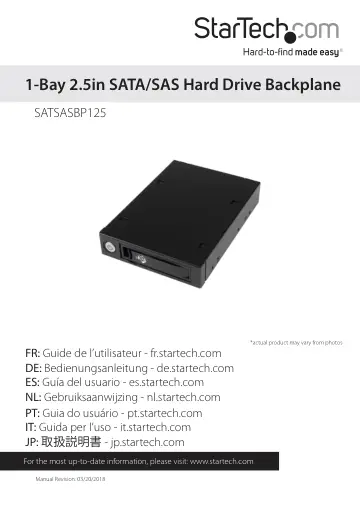
StarTech.com Mobile rack backplane for 2.5in SATA/SAS drive (SATSASBP125) user manual
- Type
- User manual
- Language
- English
- Pages
- 11
- Models
- SATSASBP125
Open PDFOpens the file on objects.icecat.biz.
Contents
- Product Diagramp. 4
- Front Viewp. 4
Rear View 1. Power button 2. 1x 2.5” Drive bay/tray 3. 1x 2.5” Drive bay key hole 4. 1x Drive Tray Release Latches 1. 1x SATA power connector port 2. 1x SATA…
- Rear Viewp. 4
1. Power button 2. 1x 2.5” Drive bay/tray 3. 1x 2.5” Drive bay key hole 4. 1x Drive Tray Release Latches 1. 1x SATA power connector port 2. 1x SATA data…
- Introductionp. 5
Packaging Contents • 1x 1-Bay 2.5in SATA/SAS Hard Drive Backplane • 2x Drive bay keys • 1x 2.5” HDD/SSD Drive Tray • 1x SATA cable • 4x Drive mounting screw…
- System Requirementsp. 5
1x 2.5in SATA/SAS hard drive Computer System: • 1x SATA/SAS host connector port • 1x Available 3.5” bay • 1x Available SATA power connection
- Hardware Installationp. 6
1. Ensure your computer system is powered down, and the power cable has been disconnected from the Power Supply. 2. Open your computer case (refer to the…
- Hard Drive Installationp. 7
1. To remove the tray, squeeze the latch to release the door handle, pull the tray door handle open and slide the tray out of the enclosure. Note: If the drive…
- Technical Supportp. 10
StarTech.com’s lifetime technical support is an integral part of our commitment to provide industry-leading solutions. If you ever need help with your product…
- Warranty Informationp. 10
This product is backed by a two year warranty. In addition, StarTech.com warrants its products against defects in materials and workmanship for the periods…