Loading manual…
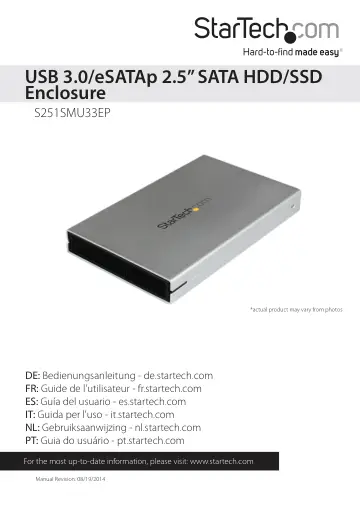
StarTech.com eSATAp / eSATA or USB 3.0 External 2.5in SATA III 6 Gbps Hard Drive Enclosure (S251SMU33EP) user manual
- Type
- User manual
- Language
- English
- Pages
- 12
- Category
- Storage & drives
- Models
- S251SMU33EP
Open PDFOpens the file on objects.icecat.biz.
Contents
- Introductionp. 4
Packaging Contents • 1 x USB 3.0/eSATAp 2.5” SATA hard drive enclosure • 1 x USB 3.0 cable • 1x eSATA cable • 1x Installation screws • 1x Phillips head screw…
- System Requirementsp. 4
Computer system with: o available USB 3.0/2.0 port or eSATA / eSATAp port o Microsoft® Windows® 2000/XP/Server 2003/Vista/Server 2008 R2/7/8 (32/64-bit)…
- Hardware Installationp. 5
WARNING: Hard drives and storage enclosures require careful handling, especially when being transported. If you are not careful with your hard disk, lost data…
- How to Usep. 8
Connecting the Hard Drive Once the enclosure has been attached to a computer, and the OS has installed the necessary software, the drive will be accessible as…
- Connecting the Hard Drivep. 8
Once the enclosure has been attached to a computer, and the OS has installed the necessary software, the drive will be accessible as though it were installed…
- Powering the Drive Enclosurep. 8
The Hard Drive enclosure is bus powered by USB 3.0 or eSATAp (eSATA + Power). If you’re using a regular eSATA connection, the USB to DC Power cable is required
- LED Indicatorp. 8
The hard drive enclosure offers an LED indicator, to enable you to monitor drive activity. When the enclosure is powered, the LED will illuminate. While the…
- Disconnecting the Hard Drivep. 8
Windows 1. Select the “Safely remove Hardware and Eject Media” icon, located in the task bar. 2. Select the storage device from the list that appears. 3. Wait…
- Initializing the Hard Drivep. 9
1. If the SATA Hard Drive is blank it may need to be initialized and formatted before use. From the main Windows desktop, right-click on “My Computer”…
- Specificationsp. 10
Host Interface USB 3.0 / eSATAp External Connectors 1 x USB 3.0 Micro B 1 x eSATAp Internal Connectors 1 x 15 pin SATA Power female 1 x 7 pin SATA Data male…
- Technical Supportp. 11
StarTech.com’s lifetime technical support is an integral part of our commitment to provide industry-leading solutions. If you ever need help with your product…
- Warranty Informationp. 11
This product is backed by a two year warranty. In addition, StarTech.com warrants its products against defects in materials and workmanship for the periods…