Loading manual…
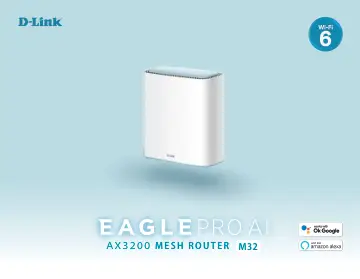
D-Link EAGLE PRO AI AX3200 Mesh System(2-Pack) (M32-2) user manual
- Type
- User manual
- Language
- English
- Pages
- 159
- Category
- Routers & Wi-Fi
- Models
- M32-2
Open PDFOpens the file on objects.icecat.biz.
Contents
- Installationp. 11
Before You Begin • Placement of the router is very important. Do not place the router in an enclosed area such as a closet, cabinet, attic, or garage. •…
- Configurationp. 24
Accessing the Web User Interface 1. Type http://xxxx.devicesetup.net/ in the address bar. (xxxx represents the last 4 characters of the MAC address) 2. Specify…
- Quick VPNp. 114
With Quick VPN Unencrypted Data Encrypted Data Your Network with Quick VPN Server Internet Public Unsecured Wi-Fi Hotspot Your Laptop This router is equipped…
- Connect to a Wireless Clientp. 129
WPS Button The easiest way to connect your wireless devices to your Wi-Fi network is with WPS (Wi-Fi Protected Setup). Most wireless devices such as wireless…
- Troubleshootingp. 131
This chapter provides solutions to problems that can occur during the installation and operation of the router. Read the following descriptions if you are…
- Wireless Basicsp. 133
D-Link wireless products are based on industry standards to provide easy-to-use and compatible high-speed wireless connectivity within your home, business, or…
- Wireless Securityp. 137
This section will show you the different levels of encryption you can use to better protect your data from intruders. The router offers the following types of…
- Technical Specificationsp. 138
Model M32 M32x2 M32x3 Product Image General For singular device unless separated: Interfaces 1 x WPS Button 2 x 10/100/1000 Mbps Gigabit Ethernet ports 1 x…
- Regulatory Informationp. 140
Federal Communication Commission Interference Statement This device complies with Part 15 of the FCC Rules. Operation is subject to the following two…