Loading manual…
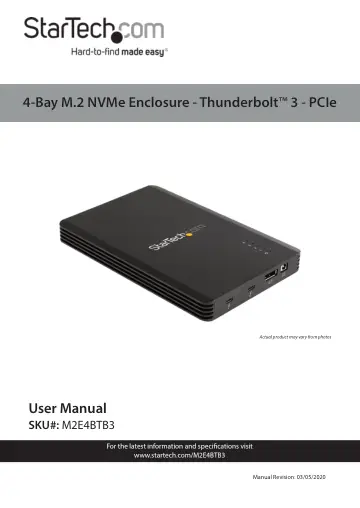
StarTech.com 4 Bay Thunderbolt 3 NVMe Enclosure (M2E4BTB3) user manual
- Type
- User manual
- Language
- English
- Pages
- 16
- Category
- Storage & drives
- Models
- M2E4BTB3
Open PDFOpens the file on objects.icecat.biz.
Contents
- Product Diagramp. 5
Side View Component Function 1 Thunderbolt 3 Ports • Connect the Enclosure to the Host Computer • Connect Thunderbolt 3 Peripherals • Cascade the Enclosure to…
- Side Viewp. 5
Component Function 1 Thunderbolt 3 Ports • Connect the Enclosure to the Host Computer • Connect Thunderbolt 3 Peripherals • Cascade the Enclosure to other…
- Top Angled Viewp. 6
Component Status Indication 1 Power LED Indicator On • Enclosure is receiving power from the Universal Power Adapter Off • Universal Power Adapter is not…
- Bottom View - Drive Bay Closedp. 7
Component Function 1 Drive Bay Screws • Secure the Drive Bay Cover 2 Drive Bay Cover • Cover and protect the M.2 Drives 3 Fan • Cool the M.2 Drives 1 3 1 2
- Bottom View - Drive Bay Openp. 8
Component Function 1 Thermal Pads • Transfer heat from the M.2 Drives to the body of the Enclosure 2 M-Key Socket • Connect up to 4 M.2 Drives • Drives are…
- Requirementsp. 9
For the latest requirements please visit www.startech.com/M2E4BTB3. • Host Computer with a Thunderbolt 3 Port • M-Key Connector Type, 22 x 80 mm (2280), M.2…
- Installationp. 9
Connect the Drives 1. Turn the Enclosure upside down. 2. Remove the Drive Bay Cover on the bottom of the Enclosure: • Remove the two Drive Bay Screws using a…
- Connect the Drivesp. 9
1. Turn the Enclosure upside down. 2. Remove the Drive Bay Cover on the bottom of the Enclosure: • Remove the two Drive Bay Screws using a Phillips Head…
- Powering the Enclosurep. 11
1. Select the appropriate regional Power Cord and connect it to the Universal Power Adapter. 2. Connect the Universal Power Adapter to the DC 12V Power Port on…
- Connect the Enclosure to the Host Computerp. 11
The Thunderbolt 3 Ports allow for a connection from the Host Computer to the Enclosure. • Connect a Thunderbolt 3 Cable (included) to one of the Thunderbolt 3…
- Operationp. 12
Operating Temperature Due to the high performance of Thunderbolt technology, Thunderbolt products sometimes generate more heat than traditional hardware.…
- Operating Temperaturep. 12
Due to the high performance of Thunderbolt technology, Thunderbolt products sometimes generate more heat than traditional hardware. Therefore, it’s normal for…
- Removing the Drivesp. 12
Notes: After extended use the M.2 Drives may stick to the Thermal Pads. The labels of the M.2 Drives may become damaged during removal. This will not impact…
- Supported Video Resolutionsp. 13
The Enclosure supports the following maximum resolutions: Number of Displays Ports Maximum Resolution 1 DisplayPort Output Port 4096 x 2160p (60Hz) 1…
- Daisy Chain Multiple Thunderbolt 3 Devicesp. 14
Dual displays using multiple Thunderbolt 3 Display Devices can be used in a daisy chain configuration. For example, connect a Thunderbolt 3 Display Device to a…
- Configure the Display Devicesp. 14
Use the Windows operating system to adjust display settings for multiple Display Devices. The Host Computer’s hardware must support dual external displays…
- Warranty Informationp. 15
This product is backed by a two-year warranty. For further information on product warranty terms and conditions, please refer to www.startech.com/warranty.…