Loading manual…
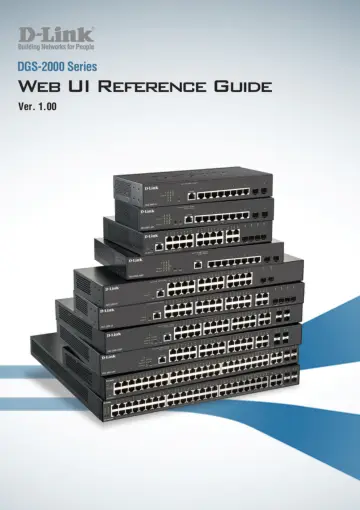
D-Link DGS-2000-28 user manual
- Type
- User manual
- Language
- English
- Pages
- 144
- Category
- Network switches
- Models
- DGS-2000-10PDGS-2000-28
Open PDFOpens the file on objects.icecat.biz.
Contents
- About This Guidep. 8
D-Link DGS-2000 Series Ethernet Switch User Manual 1 About This Guide This guide provides instructions to install the D-Link DGS-2000 series Ethernet Switch…
- Terms/Usagep. 8
In this guide, the term “Switch” (first letter capitalized) refers to the Smart Switch, and “switch” (first letter lower case) refers to other Ethernet…
- Copyright and Trademarksp. 8
Information in this document is subjected to change without notice. © 2020 D-Link Corporation. All rights reserved. Reproduction in any manner whatsoever…
- 1 Product Introductionp. 9
D-Link DGS-2000 Series Ethernet Switch User Manual 2 1 Product Introduction Thank you and congratulations on your purchase of D-Link DGS-2000 Series Ethernet…
- LED Indicatorsp. 21
The Switch supports LED indicators for Power, Fan, and Link/Act for each port. The following shows the LED indicators for the DGS-2000 series Ethernet Switch…
- 2 Hardware Installationp. 23
D-Link DGS-2000 Series Ethernet Switch User Manual 16 2 Hardware Installation This chapter provides unpacking and installation information for the D-Link…
- Safety Cautionsp. 23
To reduce the risk of bodily injury, electrical shock, fire and damage to the equipment, observe the following precautions: • Observe and follow service…
- Step 1: Unpackingp. 24
Open the shipping carton and carefully unpack its contents. Please consult the packing list located in the User Manual to make sure all items are present and…
- Step 2: Switch Installationp. 24
For safe switch installation and operation, it is recommended that you: Visually inspect the power cord to see that it is secured fully to the AC power…
- Step 3: Plugging in the AC Power Cord with Power Cord Clipp. 25
To prevent accidental removal of the AC power cord, it is recommended to install the power cord clip together with the power cord. A) With the rough side…
- 3 Getting Startedp. 30
D-Link DGS-2000 Series Ethernet Switch User Manual 23 3 Getting Started This chapter introduces the management interface of D-Link DGS-2000 Series Ethernet…
- Management Optionsp. 30
The D-Link DGS-2000 Series Ethernet Switch can be managed through any port on the device by using the Web-based Management. Each switch must be assigned its…
- Using Web-based Managementp. 30
After a successful physical installation, you can configure the Switch, monitor the network status, and display statistics using a web browser. Supported Web…
- Smart Wizardp. 31
After a successful login, the Smart Wizard will guide you through essential settings of the D-Link DGS-2000 Series Ethernet Switch. Please refer to the Smart…
- Web-based Managementp. 31
interface then click OK. By default, the username and password are null. Figure 3.3 – Logon Dialog Box Smart Wizard After a successful login, the Smart Wizard…
- D-Link Network Assistantp. 31
(DNA) is a program that is used to discover switches which are in the same layer 2 network segment as your PC. You can download the DNA utility from…
- 4 Web-based Switch Configurationp. 32
D-Link DGS-2000 Series Ethernet Switch User Manual 25 4 Web-based Switch Configuration The features and functions of the D-Link DGS-2000 Series Ethernet Switch…
- Web-based Managementp. 32
Utility. Web-based Management After clicking the Exit button in Smart Wizard you will see the screen below: Figure 4.1 – Web-based Management The above image…
- Tool Bar > Save Menup. 33
The Save Menu provides Save Configuration and Save Log functions. Figure 4.2 – Save Menu Save Configuration Select to save the entire configuration changes to…
- Tool Bar > Tools Menup. 33
The Tools Menu offers global function controls such as Reset System, Reboot Device, Configuration Backup & Restore, System Log Backup, Firmware Backup &…
- Tool Bar > Online Helpp. 36
The Online Help provides two ways of online support: D-Link Support Site will lead you to the D-Link website where you can find online resources such as…
- Function Treep. 36
All configuration options on the switch are accessed through the Setup menu on the left side of the screen. Click on the setup item that you want to configure.…
- Appendix A - Ethernet Technologyp. 136
D-Link DGS-2000 Series Ethernet Switch User Manual 129 Appendix A - Ethernet Technology This chapter will describe the features of the D-Link DGS-2000 Series…
- Gigabit Ethernet Technologyp. 136
Gigabit Ethernet is an extension of IEEE 802.3 Ethernet utilizing the same packet structure, format, and support for CSMA/CD protocol, full duplex, and…
- Fast Ethernet Technologyp. 136
The growing importance of LANs, and the increasing complexity of desktop computing applications are fueling the need for high performance networks. A number of…
- Switching Technologyp. 136
Gigabit Ethernet Technology Gigabit Ethernet is an extension of IEEE 802.3 Ethernet utilizing the same packet structure, format, and support for CSMA/CD…
- Appendix B - Technical Specificationsp. 137
D-Link DGS-2000 Series Ethernet Switch User Manual 130 Appendix B - Technical Specifications This appendix contains the device specifications, and contains the…
- Hardware Specificationsp. 137
Features Hardware Specifications Key Components / Performance Switching Capacity DGS-2000-10: 20Gbps DGS-2000-10P: 20Gbps DGS-2000-10MP: 20Gbps DGS-2000-20…
- Featuresp. 141
L2 Features Supports up to 8K MAC address Supports 256 static MAC Jumbo frame: Supports up to 10,000 bytes. IGMP Snooping v1/v2/v3 awareness: - Supports 256…
- Appendix C – Rack mount Instructionsp. 143
D-Link DGS-2000 Series Ethernet Switch User Manual 136 Appendix C – Rack mount Instructions Safety Instructions - Rack Mount Instructions - The following or…