Loading manual…
StarTech.com Dual TV Ceiling Mount (FPCEILBTB) user manual
- Type
- User manual
- Language
- English
- Pages
- 31
- Category
- TVs
- Models
- FPCEILBTB
Open PDFOpens the file on objects.icecat.biz.
Contents
- Compliance Statementsp. 2
Use of Trademarks, Registered Trademarks, and other Protected Names and Symbols This manual may make reference to trademarks, registered trademarks, and other…
- Safety Statementsp. 3
Safety Measures • Product installation and/or mounting should be completed by a certified professional as per the local safety and building code guidelines. •…
- Warning Statementsp. 4
Make sure to assemble this product according to the instructions. Failure to do so might result in personal injury or property damage. • Never operate this…
- Product Diagramp. 10
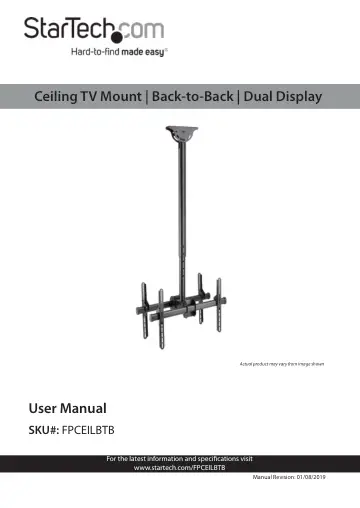
Ceiling Mount Upper Pole Vertical Brackets (4) Horizontal Brackets (2) Extension Pole
- Product Informationp. 11
Package Contents Ceiling Mount and Upper Pole Qty: 1 Extension Pole Qty: 1 Vertical Bracket Qty: 4 Horizontal Bracket Qty: 2 1 2 3 4
- Specificationsp. 15
Type of Measurement Measurement VESA mounting hole pattern 200x200 300x300 400x200 400x400 600x400 Weight capacity Up to 99 lb. per mount (45 kg per mount)…
- Requirementsp. 16
are subject to change. For the latest requirements, please visit www.StarTech.com/FPCEILBTB • Flat-panel TV (max. 75”, VESA mount compatible) x 2 • Phillips…
- Installationp. 17
Mounting the Ceiling Mount and Upper Pole
- Mounting the Ceiling Mount and Upper Pole Assemblyp. 17
Notes: Product mounting should be completed by a certi fied professional as per the local safety and building code guidelines. Ceiling structures vary, and…
- Assemblyp. 17
- Attaching the Extension Pole to the Upper Polep. 17
1. Align the hole in the Mounting Bracket with the Extension Pole and slide the Mounting Bracket down to the bottom of the Extension Pole. 2. Feed the TV…
- Attaching the Horizontal Bracketp. 19
1. Using a Wrench, remove the Retainer Nut and loosen the other two Nuts on the Horizontal Bracket. Removing the Retainer Nut and Loosen the two other Nuts
- Selecting the Appropriate Mounting Hardwarep. 20
Determine if the back of the TV is flush or inset. • Determine the depth of the mounting holes on the TV. • Determine the diameter of the mounting holes on the…
- Attaching the Vertical Brackets to a TVp. 23
Warning! Do not over-tighten the screws. If you encounter resistance while you are installing the screws, stop tighten ing. Failure to do so could result in…
- Attaching the Vertical Brackets to a TV Using Spacersp. 24
If you’re attaching a TV with an inset mounting surface: 1. Place the TV on a secure flat surface with the screen facing down. Align the Mounting Holes on the…
- Attaching the TVs to the Horizontal Bracketp. 25
Warning! Attaching the TVs is a two-person job. Do not at tempt to hang the TVs by yourself. 1. Carefully lift up the TV and hook the Vertical Brackets onto…
- Adjusting the TVsp. 27
Adjusting the tilt 1. Using a Wrench, loosen the two Nuts on the side of the Horizontal Bracket. Using a Wrench to loosen the Nuts 2. Adjust the TV to the…
- Adjusting the tiltp. 27
1. Using a Wrench, loosen the two Nuts on the side of the Horizontal Bracket. Using a Wrench to loosen the Nuts 2. Adjust the TV to the position that you want…
- Adjusting the Swivelp. 28
1. Using a Hex Key loosen the Retainer Bolt on the back of the Horizontal Bracket. Using a Hex Key to Loosen the Retainer Bolt 2. Adjust the TV to the position…
- Adjusting the Vertical Position of the Ceiling TV Mountp. 28
This adjustment is recommended for sloped ceiling types only and adjusts the angle of the Ceiling Mount relative to the Pole Assembly. 1. Attach the Wrench to…