Loading manual…
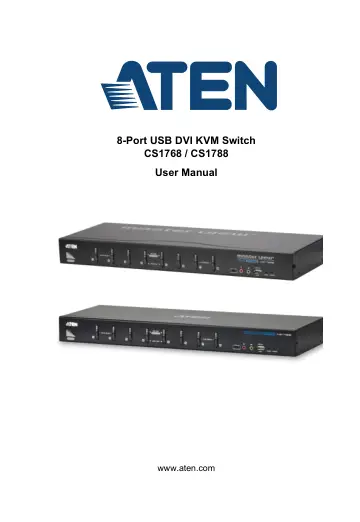
ATEN 8-Port USB DVI KVM Switch (CS1768) user manual
Open PDFOpens the file on objects.icecat.biz.
Contents
- EMC Informationp. 2
FEDERAL COMMUNICATIONS COMMISSION INTERFERENCE STATEMENT: This equipment has been tested and found to comply with the limits for a Class A digital device…
- RoHSp. 2
This product is RoHS compliant.
- User Informationp. 3
Online Registration Be sure to register your product at our online support center: International http://eservice.aten.com Telephone Support For telephone…
- About this Manualp. 8
This User Manual is provided to help you get the most from your CS1768 / CS1788 system. It covers all aspects of installation, configuration and operation. An…
- Conventionsp. 9
This manual uses the following conventions
- Product Informationp. 9
For information about all ATEN products and how they can help you connect without limits, visit ATEN on the Web or contact an ATEN Authorized Reseller. Visit…
- Chapter 1 Introductionp. 11
Overview The CS1768 / CS1788 is a control unit that allows access and control of up to 8 computers from a single USB keyboard, USB mouse, and monitor (DVI or…
- Chapter 2 Hardware Setupp. 21
Overview For convenience and flexibility that allows mixing multiple platforms, the CS1768 / CS1788 design utilizes custom USB DVI KVM cables that serve as…
- Chapter 3 Basic Operationp. 41
Hot Plugging The CS1768 / CS1788 supports hot plugging – components can be removed and added back into the installation by unplugging their cables from the…
- Chapter 4 OSD Operationp. 45
OSD Overview The on-screen display (OSD) is a mouse and keyboard enabled, menu driven method to handle computer control and switching operations. All…
- Chapter 5 Hotkey Operationp. 59
Hotkey Port Control Hotkey port control allows you to provide KVM focus to a particular computer directly from the keyboard. The CS1768 / CS1788 provides the…
- Chapter 6 Keyboard Emulationp. 71
Mac Keyboard The PC compatible (101/104 key) keyboard can emulate the functions of the Mac keyboard. The emulation mappings are listed in the table below.…
- Chapter 7 The Firmware Management Utilityp. 73
Introduction The purpose of the Windows-based Firmware Management Utility is to provide an automated process for upgrading all CS1768 / CS1788 switches in an…
- Appendixp. 81
Safety Instructions General Read all of these instructions. Save them for future reference. This product is for indoor use only. Follow all warnings and…