Loading manual…
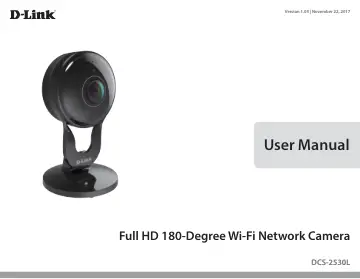
D-Link DCS-2530L user manual
- Type
- User manual
- Language
- English
- Pages
- 65
- Category
- Security cameras
- Models
- DCS-2530L
Open PDFOpens the file on objects.icecat.biz.
Contents
- Product Overviewp. 4
- System Requirementsp. 4
802.11n/g Wi-Fi router • A broadband Internet connection • iPhone, iPad, Android, or smartphone or tablet (please refer to the mobile app’s store page to check…
- Introductionp. 5
The DCS-2530L Full HD 180-Degree Wi-Fi Network Camera boasts an ultra-wide 180° horizontal lens that easily captures your entire room, wall-towall, in…
- Featuresp. 5
- Hardware Overviewp. 6
Front View Camera Lens Microphone IR LEDs (behind cover) Light Sensor Camera Stand Signal Locator LED Solid Green: Best wireless signal Solid Orange: Good…
- Installationp. 8
There are two ways to set up your camera: mydlink Lite Mobile App: You can use the mydlink Lite mobile app to guide you through setup and initial configuration…
- Wireless Installation Considerationsp. 9
The DCS-2530L connects to your network using a wireless connection from anywhere within the operating range of your wireless network. However, the number…
- Mobile App Setupp. 10
You can configure your camera through the mydlink Lite mobile app. On your mobile device, download mydlink Lite by searching for mydlink Lite in the iTunes App…
- Zero Configuration Setupp. 11
If you have a mydlink-enabled Wi-FI Router, you can take advantage of Zero Configuration Setup. Zero Configuration automatically configures your camera’s…
- Mounting the Camerap. 14
To mount your camera on a wall or ceiling, please follow the steps below. It is recommended that you configure the camera before mounting. Step 1 Rotate the…
- mydlinkp. 16
After registering your camera with a mydlink account, you will be able to remotely access your camera from the www.mydlink.com website. After signing in to…
- Using the DCS-2530L with Google Homep. 17
You can use your voice to control your DCS-2530L with your Google Home Smart Speaker and Google Assistant. Before proceeding, make sure you have: 1. Installed…
- Configurationp. 20
Accessing the Web Configuration Utility After completing the Camera Installation Wizard, you are ready to use your camera. The camera’s built-in Web…
- Accessing the Web Configuration Utilityp. 20
After completing the Camera Installation Wizard, you are ready to use your camera. The camera’s built-in Web configuration utility is designed to allow you to…
- Live Videop. 21
The Live Video page lets you view the live video stream from your camera. Please make sure that you have the latest version of Java installed on your computer…
- Setupp. 23
Wizard You may choose to configure your camera's Internet connection by using the Internet Connection Setup Wizard that includes step-by-step instructions.…
- Advancedp. 48
ICR and IR Here you can configure the ICR and IR settings. The IR (Infrared) Cut-Removable (ICR) filter can be disengaged for increased sensitivity in low…
- Maintenancep. 51
Admin You may modify the name and administrator’s password of your camera, as well as add and manage the user accounts for accessing the camera. You may also…
- Statusp. 54
Device Info This page displays detailed information about your device and network connection.
- Helpp. 56
ful information regarding camera operation. Help
- Technical Specificationsp. 57
Camera Camera Hardware Profile • 1/3” Megapixel progressive CMOS sensor • Minimum illumination: • Color mode: 0.5 lux • B/W mode (LEDs off): 0.1 lux • B/W mode…
- Contacting Technical Supportp. 59
U.S. and Canadian customers can contact D-Link technical support through our web site or by phone. Before you contact technical support, please have the…
- Warrantyp. 60
Subject to the terms and conditions set forth herein, D-Link Systems, Inc. (“D-Link”) provides this Limited Warranty: • Only to the person or entity that…
- Registrationp. 65
Version 1.03 (US) November 22, 2017 Product registration is entirely voluntary and failure to complete or return this form will not diminish your warranty…