Loading manual…
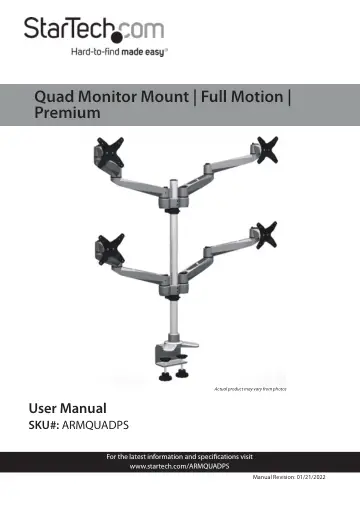
StarTech.com ARMQUADPS user manual
- Type
- User manual
- Language
- English
- Pages
- 30
- Category
- Monitors
- Models
- ARMQUADPS
Open PDFOpens the file on objects.icecat.biz.
Contents
- Product Diagramp. 7
Monitor Mount (x 4) 4 Support Pole 2 Swivel Arm (x 8) 5 C-Clamp 3 Swivel Arm Shoulder (x 2) 6 Cable-Management Clip 1 6 4 2 3 5
- Product Dimensionp. 8
- Product Rotationp. 9
- Product Informationp. 10
Specifications Type of Measurement Measurement VESA Mounting Hole Pattern 75x75 100x100 Tilt +900 to -150 Screen Size Maximum 30 in. (762 mm) Rotate 3600…
- Specificationsp. 10
Type of Measurement Measurement VESA Mounting Hole Pattern 75x75 100x100 Tilt +900 to -150 Screen Size Maximum 30 in. (762 mm) Rotate 3600 Swivel 3600…
- Installationp. 14
Using the Grommet Mount 1. Align the Mounting Holes in the Grommet Base with the Mounting Holes on the Support Pole. 2. Insert four M5 x 14 mm Screws through…
- Using the Grommet Mountp. 14
1. Align the Mounting Holes in the Grommet Base with the Mounting Holes on the Support Pole. 2. Insert four M5 x 14 mm Screws through the Mounting Holes on the…
- Using the C-Clampp. 18
1. Align the Mounting Holes in the Upper Base of the C-Clamp with the Mounting Holes on the Support Pole. 2. Insert four M5 x 14 mm Screws through the Mounting…
- Attaching the Monitor Mountp. 22
When the Desk Mount has been mounted to the mounting surface either by using the C-Clamp or Grommet: 1. Slide two of the Cable Management Clip onto the Support…
- Attaching a Monitor Using the VESA Mountp. 25
1. Align the Mounting Holes (x 4) on the Monitor Mount with the mounting holes on the back of the Monitor. Note: When mounting the VESA mount the orientation…
- Attaching the Monitor Mountp. 26
Note: Attaching the Monitor Mount may require two people. 1. While supporting the weight of the Monitor, carefully slide the Mounting Hole on the Monitor Mount…
- Removing the Monitor Mountp. 27
1. Slide the Thumb Clip to disengaging the locking mechanism. Sliding the Thumb Clip towards the Monitor Mount 2. While holding the Thumb Clip and the weight…
- Adjusting the Monitor Tiltp. 28
While supporting the weight of the Monitor, use the Hex Key (included) to loosen or tighten the Hex Screw on the side of the Monitor Mount, until the tension…
- Routing the Cablesp. 28
The Monitor Mount comes with a Cable-Management System that can be used to run the monitor cables down the mounting arms. Note: Make sure that the cables are…