Loading manual…
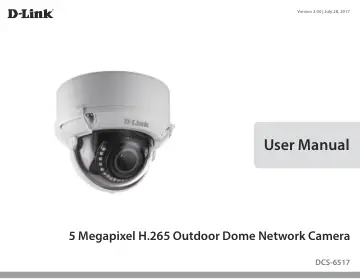
D-Link DCS-6517 user manual
- Type
- User manual
- Language
- English
- Pages
- 98
- Category
- Security cameras
- Models
- DCS-6517
Open PDFOpens the file on objects.icecat.biz.
Contents
- Introductionp. 6
The DCS-6517 5 Megapixel H.265 Outdoor Network Camera is a professional surveillance and security solution for small, medium, and large enterprises alike. The…
- System Requirementsp. 6
- Featuresp. 7
and functionality for the DCS-6517 and allows administrators to configure and access the camera from a remote site via the Internet. Other features include…
- Hardware Overviewp. 8
1 2 4 6 5 7 8 10 1 9 10 1 IR LEDs Provide illumination for low-light environments. 2 Tilt Lock Screw Can be loosened to adjust the camera's tilt angle. 3…
- Installationp. 10
Connecting the Optional Cable Harness Remove the sun shield by lifting it off of the camera. Use the included security wrench to remove the 4 screws from the…
- Connecting the Optional Cable Harnessp. 10
Remove the sun shield by lifting it off of the camera. Use the included security wrench to remove the 4 screws from the top of the camera, then remove the…
- microSD Card Installationp. 13
- Mounting the Camera on the Ceilingp. 14
Locate a suitable position on the
- Ceilingp. 14
Locate a suitable position on the ceiling that is capable of supporting the weight of the camera. Attach the alignment sticker to the ceiling or wall. Align…
- Connecting the Camerap. 20
General Connection Using 12 V DC Power Adapter (not included) Connect the Ethernet cable to your network. Connect your power adapter to the camera's…
- Software Installationp. 21
Click Setup Wizard to begin the installation. After clicking Setup Wizard, the following window will open. Click Next to continue. Insert the DCS-6517 CD into…
- Viewing Your Camera via a Web Browserp. 24
- Configurationp. 26
Using the Configuration Interface After completing the Camera Installation Wizard, you are ready to use your camera. The camera’s built-in Web configuration…
- Using the Configuration Interfacep. 26
After completing the Camera Installation Wizard, you are ready to use your camera. The camera’s built-in Web configuration utility is designed to allow you to…
- Live Videop. 27
This section shows your camera’s live video. You may select any of the available icons listed below to operate the camera. You may also select your language…
- Setup Wizardp. 29
The Setup Wizards walk you through setting up your camera's network and motion detection settings. Network Setup Wizard: Motion Detection Setup Wizard: Click…
- Settingsp. 35
Network Settings Use this section to configure the network connections for your camera. All relevant information must be entered accurately. Please note that…
- Advanced Setupp. 64
Advanced UPnP Enable UPnP Presentation: Enable UPnP Port Forwarding: Forwarding Port: Forwarding Status: Enabling this setting allows your camera to be…
- Camera Optionsp. 76
- DI/DO Specificationsp. 84
DC12V output current maximum to 100mA 12V LED GND Reed switch DI Alarm DO
- Technical Specificationsp. 85
Camera Camera Hardware Profile • 1/2.9” megapixel CMOS sensor • 20 meter smart IR illumination distance • Built-in Infrared-Cut Removable (ICR) Filter module •…
- Regulatory Informationp. 88
Federal Communication Commission Interference Statement This equipment has been tested and found to comply with the limits for a Class A digital device…