Loading manual…
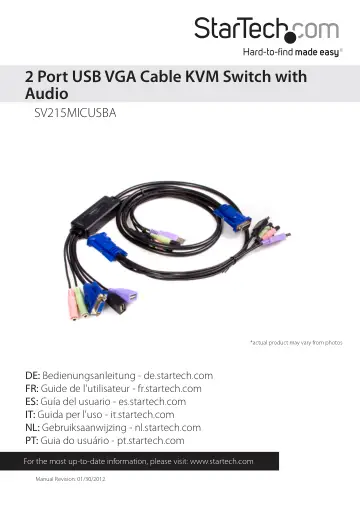
StarTech.com SV215MICUSBA user manual
- Type
- User manual
- Language
- English
- Pages
- 13
- Category
- Docks & adapters
- Models
- SV215MICUSBA
Open PDFOpens the file on objects.icecat.biz.
Contents
- Introductionp. 4
Thank you for purchasing a StarTech.com SV215MICUSBA 2 Port VGA + USB Cable KVM Switch with Audio. Supporting superior video quality with resolutions up to…
- System Requirementsp. 4
A VGA, SVGA, or Multisync monitor capable of the highest resolution that will be used on any computer involved in the installation • A USB Keyboard • A USB…
- Hardware Guidep. 5
To link the SV215MICUSBA to the console display unit, use a Male-Male VGA cable to connect the blue Console connector to the VGA port on the display device…
- Installationp. 6
Before you begin, ensure that the power to all the devices you will be connecting has been turned off. You must unplug the power cords of any computers that…
- Operationp. 7
There are two ways to select the host computer you wish to broadcast to the console: the Remote Selector, and Hotkey Mode. If you wish to use the Remote…
- Hotkey Configurationp. 7
Invoking Hotkey Mode All Hotkey operations begin by tapping the Scroll Lock key twice. The tables on the following page describe the action that each hotkey…
- Hotkey Summary Tablep. 8
Once Hotkey mode has been invoked, key in one of the following values (keys) to perform the corresponding function
- Scan Interval Tablep. 8
Hotkey Sequence Action [Scroll Lock] [Scroll Lock] [Enter] Toggles the KVM and Audio focus between the two ports. Note: If the KVM and Audio focus are on…
- Keyboard Emulation Mappingp. 9
To initialize Mac keyboard mapping, please execute the following hotkey sequence: [scroll],[scroll], [F2], [Enter] or [ctrl] [ctrl] [F2] [Enter] Once this has…
- Specificationsp. 10
Function Specification Computer Connection 2 Port Selection Hotkey, Pushbutton Connectors Console Ports Keyboard 1 x USB Type A Female (Purple) Video 1 x…
- Troubleshootingp. 11
Symptom Possible Cause Action Keyboard and/ or Mouse Not Responding Keyboard/Mouse need to be reset. Unplug the keyboard/mouse from the Console Keyboard Port…
- Technical Supportp. 12
StarTech.com’s lifetime technical support is an integral part of our commitment to provide industry-leading solutions. If you ever need help with your product…
- Warranty Informationp. 12
This product is backed by a two year warranty. In addition, StarTech.com warrants its products against defects in materials and workmanship for the periods…