Loading manual…
StarTech.com ST12MHDLAN2K user manual
- Type
- User manual
- Language
- English
- Pages
- 38
- Category
- Commercial displays
- Models
- ST12MHDLAN2KST12MHDLAN2R
Open PDFOpens the file on objects.icecat.biz.
Contents
- Product Diagramp. 7
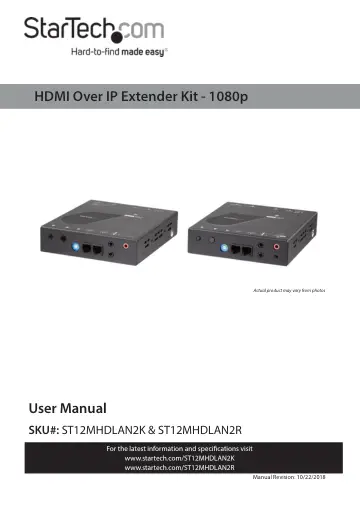
Actual product may vary from photos
- Transmitter Frontp. 7
Transmitter Rear F2 Config. Button F1 Link Button IR In Port Audio Out Port DIP Rotary Switch Serial 1 Control Port (RJ-11) IR Out Port DC 12V Power Port LAN…
- Transmitter Rearp. 7
F2 Config. Button F1 Link Button IR In Port Audio Out Port DIP Rotary Switch Serial 1 Control Port (RJ-11) IR Out Port DC 12V Power Port LAN Port Video In Port…
- Receiver Frontp. 8
Receiver Rear DIP Rotary Switch F2 Config. Button F1 Link Button IR Out Port Audio In Port IR In Port Output Resolution Switch DC 12V Power Port LAN Port Video…
- Receiver Rearp. 8
DIP Rotary Switch F2 Config. Button F1 Link Button IR Out Port Audio In Port IR In Port Output Resolution Switch DC 12V Power Port LAN Port Video In Port Audio…
- Product Informationp. 9
- Package Contents (ST12MHDLAN2K)p. 9
- Package Contents (ST12MHDLAN2R)p. 9
HDMI Receiver x 1 • Universal Power Adapters (NA, EU, UK, ANZ) x 1 • Hardware Kit x 1 • Mounting Brackets x 2 • Mounting Screws x 8 • HDMI Locking Screws x 1
- Requirementsp. 10
- Installationp. 11
1. Set up an HDMI Video Source Device (e.g. computer) and an HDMI Display Device in the desired location. 2. Position the HDMI Transmitter near the HDMI Video…
- Optional Installationp. 12
Using a Separate 3.5 mm Audio Source Audio In Port (Transmitter)/Audio Out Port (Receiver): If you intend to add a separate 3.5 mm audio source (Microphone)…
- Using a Separate 3.5 mm Audio Sourcep. 12
Audio In Port (Transmitter)/Audio Out Port (Receiver): If you intend to add a separate 3.5 mm audio source (Microphone) that can be embedded into the HDMI…
- Installing the IR Receiver and IR Blasterp. 14
The IR Receiver and IR Blaster can be connected to either the HDMI Transmitter or HDMI Receiver. HDMI Transmitter: If the device receiving the IR signal is at…
- Configurationp. 17
Rotary DIP Switch The Rotary DIP Switch on the HDMI Transmitter and connected HDMI Receiver(s) must be set to the same position/ channel for the devices to…
- Rotary DIP Switchp. 17
The Rotary DIP Switch on the HDMI Transmitter and connected HDMI Receiver(s) must be set to the same position/ channel for the devices to communicate. • Use…