Loading manual…
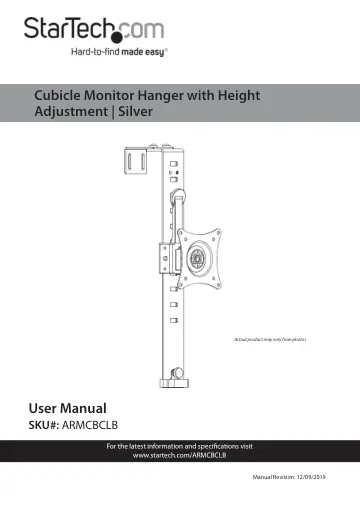
StarTech.com Cubicle Monitor Mount (ARMCBCLB) user manual
- Type
- User manual
- Language
- English
- Pages
- 23
- Category
- Monitors
- Models
- ARMCBCLB
Open PDFOpens the file on objects.icecat.biz.
Contents
- Product Diagramp. 6
Cubicle Mount 2 Adjustment Screws (x 2) 3 Height Adjustment Handle 4 VESA Mount 5 Height-Adjustment Holes 1 3 2 4 5
- Product Dimensionsp. 7
- Product Informationp. 10
Package Contents Cubicle Mount Qty: One EVA Foam Pad Qty: One Hex Key Qty: One M4x12 mm Screws Qty: Four
- Product Specificationsp. 12
VESA 75 x 75 100 x 100 LB kg Weight 17.6 lb. (8 kg) Screen Size Max. 32 “ Rotation 360o
- Requirementsp. 13
Phillips Head Screwdriver • Pliers
- Installationp. 14
The Cubicle Mount is design to hang over the top of a cubicle wall
- Hanging the Cubicle Mountp. 14
1. Using the Hex Key (included), loosen the two Adjustment Screws at the top of the Cubicle Mount, so that the Cubicle Mount can fit overtop of the width of a…
- Attaching a Monitorp. 16
1. Using a Phillips Head Screwdriver (sold separately) unscrew the VESA Mount Screw on the side of the VESA Mount. 2. Pull the VESA Mount up to disengage the…
- Routing Cablesp. 19
Monitor Cables can be routed down the Cubicle Mount and out through the Cable Management Clip located at the bottom of the Cubicle Mount. Routing the Cables
- Tightening the VESA Mountp. 20
If monitor adjustment are not holding in place the Hex Screw on the back of the VESA Monitor Mount will need to be tightened. 1. While supporting the weight of…
- Making Micro Adjustmentsp. 20
Using the Hex Key, turn the Adjustment Screw located at the bottom of the VESA Mount left or right to adjust the height of the Monitor. Note: You can also make…
- Adjusting the Height of the Monitorp. 20
1. While supporting the weight of the Monitor, pull the Height Adjustment Handle out of its current position. 2. Slide the Monitor up or down until the Latch…