Loading manual…
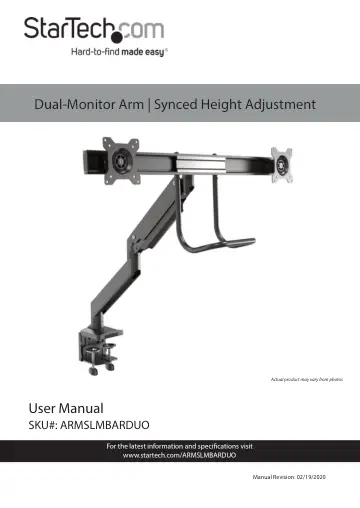
StarTech.com Desk Mount Dual Monitor Arm (ARMSLMBARDUO) user manual
- Type
- User manual
- Language
- English
- Pages
- 57
- Category
- Monitors
- Models
- ARMSLMBARDUO
Open PDFOpens the file on objects.icecat.biz.
Contents
- Product Diagramp. 7
- Front Viewp. 7
- Product Dimensionsp. 8
Actual product may vary from image
- Product Rotationp. 9
- Product Informationp. 10
Package Contents Base Qty: 1 Lower Arm Qty: 1 Upper Arm Qty: 1 Crossbar Qty: 1
- Technical Specificationsp. 14
- Requirementsp. 16
Phillips Head Screwdriver x 1 • Displays x 2
- Using the Grommet Mountp. 32
1. Align the Screw Holes (x 4) on the Base Plate with the Screw Holes on the bottom of the Base.
- Mounting the Monitorsp. 45
1. Place the Monitor screen side down on a flat, clean surface. 2. (Optional) Remove any Screws or Place Holders from the VESA Mounting Holes on the back of…
- Adjusting the Spring Arm Tensionp. 50
1. Using your hand push downward on the Upper Arm holding it in place. 2. Use the 6 mm Hex Key to rotate the Adjustment Screw located at the base of the Upper…
- Adjusting the Rotationp. 51
1. Use the 4 mm Hex Key to loosen the four Screws on the back of the VESA Mount. 2. Adjust the rotation of the Crossbar +40 or -40. 3. Use the 4 mm Hex Key to…
- Making Micro-Adjustmentsp. 52
1. While holding the Monitor in place, use a Phillips Head Screwdriver to loosen the VESA Mount Adjustment Screw on the side of the VESA Mount. 2. Using a…
- Routing the Cablesp. 53
1. Using a Phillips Head Screwdriver, remove the Screw from the Cable Cover, located underneath the Upper Arm and unhook the Retention Hook to remove the Cable…