Loading manual…
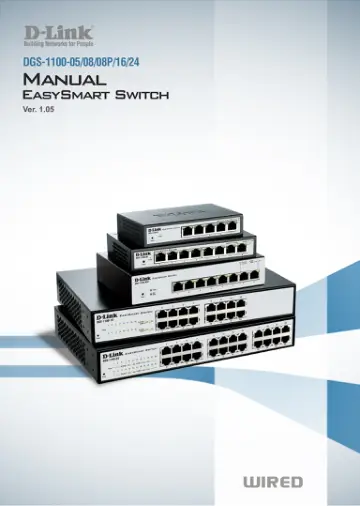
D-Link DGS-1100-08 user manual
- Type
- User manual
- Language
- English
- Pages
- 46
- Category
- Network switches
- Models
- DGS-1100-08
Open PDFOpens the file on objects.icecat.biz.
Contents
- About This Guidep. 6
This guide provides instructions to install the D-Link Gigabit Ethernet EasySmart Switch DGS-1100- 05/08/08P/16/24, how to use the Web Utility, and to…
- Terms/Usagep. 6
In this guide, the term “Switch” (first letter capitalized) refers to the EasySmart Switch, and “switch” (first letter lower case) refers to other Ethernet…
- Copyright and Trademarksp. 6
Information in this document is subjected to change without notice. © 2014 D-Link Corporation. All rights reserved. Reproduction in any manner whatsoever…
- 1 Product Introductionp. 7
Thank you and congratulations on your purchase of D-Link EasySmart Switch Products. D-Link's next generation EasySmart Ethernet switch series blends…
- 2 Hardware Installationp. 11
This chapter provides unpacking and installation information for the D-Link EasySmart Switch
- Step 1: Unpackingp. 11
Open the shipping carton and carefully unpack its contents. Please consult the packing list located in the User Manual to make sure all items are present and…
- Step 2: Switch Installationp. 11
For safe switch installation and operation, it is recommended that you: Visually inspect the power cord to see that it is secured fully to the AC power…
- Step 3 – Plugging in the AC Power Cordp. 13
Users may now connect the AC power cord into the rear of the switch and to an electrical outlet (preferably one that is grounded and surge protected). 8
- 3 Getting Startedp. 15
This chapter introduces the management interface of D-Link EasySmart Switch
- Management Optionsp. 15
The D-Link EasySmart Switch can be managed through any port on the device by using the Web-based Management or through any PC using the SmartConsole Utility.…
- Using Web-based Managementp. 15
After a successful physical installation, you can configure the Switch, monitor the network status, and display statistics using a web browser. Supported Web…
- SmartConsole Utilityp. 16
or open the web browser and enter 10.90.90.90 (the factory-default IP address) in the address bar. Then press <Enter>. Figure 18 –Enter the IP address…
- 4 SmartConsole Utilityp. 18
The D-Link SmartConsole Utility allows the administrator to quickly discover all D-Link Smart Switches and EasySmart Switches which are in the same domain of…
- SmartConsole Settingsp. 18
at the left. Figure 20– SmartConsole Utility SmartConsole Settings The SmartConsole Settings at the left has five icons, Utility Settings, Log, Trap, File, and…
- Device Configurationp. 20
The Device Configuration in the SmartConsole Utility has five icons: Device Settings Password Manager Firmware Upgrade DHCP Refresh Web Access And the , device…
- Device Listp. 23
This list displays all discovered Web Smart and EasySmart switches on the network. Figure 32– SmartConsole Device List Definitions of the Device List features…
- 5 Configurationp. 24
The features and functions of the D-Link EasySmart Switch can be configured for optimum use through the
- Web-based Managementp. 24
Utility. Web-based Management After a successful login you will see the screen below: Figure 33 – Web-based Management Above is the Web-based Management…
- Tool Bar > Save Menup. 25
The Save Menu provides Save Configuration. Figure 34 – Save Menu Save Configuration Select to save the entire configuration changes you have made to the device…
- Tool Bar > Tool Menup. 25
The Tool Menu offers global function controls such as Reset System, Reboot Device, Firmware Upgrade and Configuration Backup & Restore. Figure 36 – Tool Menu…
- Function Treep. 27
All configuration options on the switch are accessed through the Setup menu on the left side of the screen. Click on the setup item that you want to configure.…
- Appendix A - Ethernet Technologyp. 42
This chapter will describe the features of the D-Link EasySmart Switch and provide some background information about Ethernet/Fast Ethernet/Gigabit Ethernet
- Gigabit Ethernet Technologyp. 42
Gigabit Ethernet is an extension of IEEE 802.3 Ethernet utilizing the same packet structure, format, and support for CSMA/CD protocol, full duplex, and…
- Fast Ethernet Technologyp. 42
The growing importance of LANs and the increasing complexity of desktop computing applications are fueling the need for high performance networks. A number of…
- Switching Technologyp. 42
Gigabit Ethernet Technology Gigabit Ethernet is an extension of IEEE 802.3 Ethernet utilizing the same packet structure, format, and support for CSMA/CD…
- Appendix B - Technical Specificationsp. 43
Hardware Specifications Key Components / Performance Switching Capacity: - DGS-1100-05 :10Gbps - DGS-1100-08/08P: 16Gbps - DGS-1100-16: 32Gbps - DGS-1100-24…
- Hardware Specificationsp. 43
Key Components / Performance Switching Capacity: - DGS-1100-05 :10Gbps - DGS-1100-08/08P: 16Gbps - DGS-1100-16: 32Gbps - DGS-1100-24: 48Gbps Max. Forwarding…
- Featuresp. 43
L2 Features Supports up to 8K MAC address IGMP snooping Loopback Detection Port Mirroring Port Trunking Cable Diagnostics VLAN 802.1Q VLAN standard (VLAN…
- Appendix C – Rack mount Instructionsp. 44
Safety Instructions - Rack Mount Instructions - The following or similar rack-mount instructions are included with the installation instructions: A) Elevated…