Loading manual…
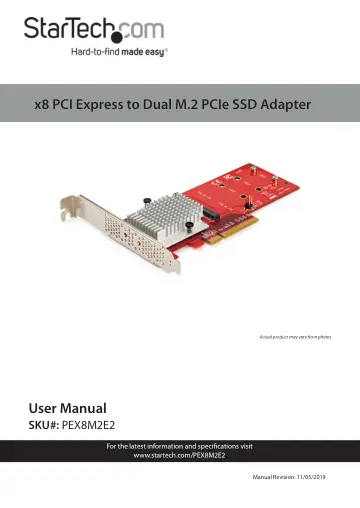
StarTech.com PEX8M2E2 user manual
- Type
- User manual
- Language
- English
- Pages
- 13
- Category
- Storage & drives
- Models
- PEX8M2E2
Open PDFOpens the file on objects.icecat.biz.
Contents
- Compliance Statementsp. 2
FCC Compliance Statement This equipment has been tested and found to comply with the limits for a Class B digital device, pursuant to part 15 of the FCC Rules.…
- Safety Statementsp. 3
Safety Measures • Wiring terminations should not be made with the product and/or electric lines under power. • Cables (including power and charging cables)…
- Product Diagramp. 5
Component Function 1 Mounting Bracket (full Profile) • Used to secure the Adapter to the Computer. 2 Bracket Screws (x 2) • Used to secure the Mounting Bracket…
- Product Informationp. 6
Package Contents • x8 PCI Express to Dual M.2 PCIe SSD Adapter x 1 • Low-Profile Bracket x 1 • Full- Profile Bracket (installed) x 1 • Installation Hardware…
- Requirementsp. 7
For the latest requirements, please visit www.startech.com/ PEX8M2E2. • PCI Express M.2 SSD x 2 • Computer System with x8 or Larger PCI Slot x 1 • Phillips…
- Installing a Drive into the Adapterp. 7
Warning! Drives and Adapters should be handled carefully, especially when they are transported. If you are not careful with your drives, you may lose data as a…
- Installing the Low-Profile Bracketp. 8
The Adapter can be mounted in both low-profile and fullprofile computer systems. By default, the full-profile bracket comes pre-installed in the Adapter. 1.…
- Installing the Adapter in a Computerp. 9
1. Turn off the Computer. 2. Remove the case from the Computer. For more information about how to properly do this, consult the documentation that came with…
- Preparing a Drivep. 10
Windows® OS If the installed Drive has data on it, The Drive will appear under My Computer or Computer with a drive letter assigned to it. If you install a…
- Windows® OSp. 10
If the installed Drive has data on it, The Drive will appear under My Computer or Computer with a drive letter assigned to it. If you install a brand-new Drive…
- Mac OSp. 11
Warning! When you complete the following steps, all of the data on your drive will be deleted. If your drive has data on it that you require, you should create…