Loading manual…
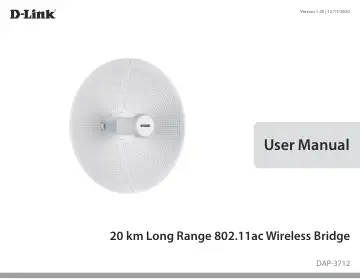
D-Link 20km Long Range Wireless AC Bridge (DAP-3712) user manual
- Type
- User manual
- Language
- English
- Pages
- 51
- Models
- DAP-3712
Open PDFOpens the file on objects.icecat.biz.
Contents
- Product Overviewp. 3
Package Contents DAP-3712 20 km Long Range 802.11ac Wireless Bridge Quick Start Guide Power Injector Power cord Mounting tie
- System Requirementsp. 4
Web-based Configuration Requirements Computer with the following: • Microsoft Windows®, Apple Mac OS, or a Linux-based operating system Browser Requirements: •…
- Introductionp. 5
The DAP-3712 is a high-performance 802.11ac 2T2R outdoor-deployable wireless bridge that provides wireless connectivity to multiple network locations. The…
- Featuresp. 6
- Hardware Overviewp. 7
Connection 1 PoE Port Uses a standard Ethernet cable to connect the device to a PoE power source such as a PoE switch or PoE injector. 2 Reset Button Resets…
- Installationp. 9
Assembling the Access Point 1. Assemble the dish of the DAP-3712 by sliding the two halves together until they lock in place. 2. Connect the antenna and base…
- Assembling the Access Pointp. 9
1. Assemble the dish of the DAP-3712 by sliding the two halves together until they lock in place. 2. Connect the antenna and base through the hole in the…
- Configurationp. 17
Factory Default Setting The following table shows the DAP-3712’s default settings. Features Factory Default Setting Username admin Password admin Operation…
- Factory Default Settingp. 17
The following table shows the DAP-3712’s default settings. Features Factory Default Setting Username admin Password admin Operation Mode Bridge Wi-Fi Mode…
- Web-based Configurationp. 18
To log in the DAP-3712 web interface, you will need to configure your computer’s TCP/IP settings: 1. Right-click the Local Area Connection icon on your…
- Wizardp. 20
When you log into the DAP-3712 for the first time, the Wizard page will automatic pop-up. You can also click Wizard in the top right corner. To configure the…
- Basic Settingsp. 23
This section will introduce how to navigate the Basic Settings page. On this page, there are Five tabs: Wireless, Network, QoS, Service, and System. After…
- Statusp. 39
There are four tabs in the Status section: Info In the Info tab, information about the device is displayed. Device Name: The name of the device Device Model…
- Toolsp. 44
The DAP-3712 has many useful tools built in to help you manage the device and your network. These tools include Ping IP, Traceroute, Link Test, Antenna…
- Technical Specificationsp. 49
Standards 802.11a/n/ac Device Interfaces 1 x 100/1000 Mbps Ethernet port, reset button LEDs Signal strength Antenna Type Dish Antenna Gain 23 dBi Beamwidth H…