Loading manual…
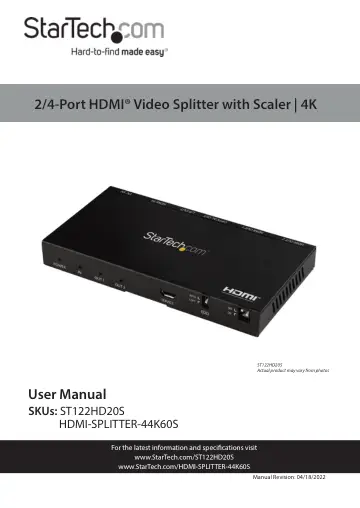
StarTech.com ST122HD20S user manual
- Type
- User manual
- Language
- English
- Pages
- 12
- Category
- Cooker hoods
- Models
- ST122HD20S
Open PDFOpens the file on objects.icecat.biz.
Contents
- Product Diagramp. 5
Front View (ST122HD20S) 1 Power LED 4 Service Port (manufacturer use only) 2 HDMI Input LED 5 EDID Switch 3 HDMI Output LEDs (x 2) 6 Scaler Switches (x 2) Rear…
- Front View (ST122HD20S)p. 5
Power LED 4 Service Port (manufacturer use only) 2 HDMI Input LED 5 EDID Switch 3 HDMI Output LEDs (x 2) 6 Scaler Switches (x 2) Rear View (ST122HD20S) 1 HDMI…
- Rear View (HDMI-SPLITTER-44K60S)p. 6
- Product Informationp. 7
Package Content • HDMI Video Splitter x 1 • Universal Power Adapter (NA, EU, UK, ANZ) x 1 • User Manual x 1
- Requirementsp. 7
For the latest manuals, product information, technical specifications, and Declarations of Conformance, please visit: www.StarTech.com/ST122HD20S…
- Powering the Video Splitterp. 8
Connect the Universal Power Adapter to the DC 5V Power Port on the back of the Video Splitter and the other end to an AC Electrical Outlet
- Connecting the Video Splitterp. 8
1. Connect an HDMI Cable (sold separately) to the HDMI Output Port 1 on the Video Splitter and the other end to and HDMI Port on the Display Device (e.g.…
- EDID Switchp. 9
Auto • Move the EDID Switch to Auto. The Video Splitter will compare the EDID settings on the Display Devices connected to the HDMI Output Ports and will…
- Autop. 9
Move the EDID Switch to Auto. The Video Splitter will compare the EDID settings on the Display Devices connected to the HDMI Output Ports and will output the…
- Copyp. 9
Move the EDID Switch to Copy. The Video Splitter will copy the EDID settings from the Display Device connected to the HDMI Output Port 1 and relay the…
- Scaler Switchp. 9
There are two Scaler Switches on the Video Splitter one for each HDMI Output Port. On • Move the Scaler Switch to the On position. The Video Splitter will…
- Offp. 9
Move the Scaler Switch to the Off position. The Video Splitter will not scale the incoming signal and will pass through the resolution from the Video Device.
- LED Indicatorsp. 10
The Video Splitter has 4 LED Indicators that are outlined below: LED Function Power LED Solid Blue: The Video Splitter is receiving power. HDMI Input LED Solid…
- Video Resolutionp. 10
Type Resolution Minimum 720p 50/60Hz Maximum 4K 50/60Hz