Loading manual…
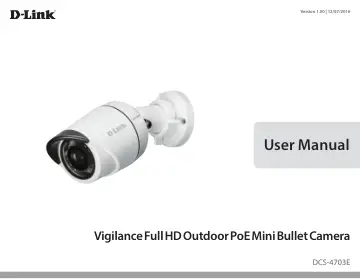
D-Link DCS-4703E user manual
- Type
- User manual
- Language
- English
- Pages
- 65
- Category
- Security cameras
- Models
- DCS-4703E
Open PDFOpens the file on objects.icecat.biz.
Contents
- Introductionp. 5
Congratulations on your purchase of the DCS-4703E Vigilance Full HD Outdoor PoE Mini Bullet Camera. The DCS-4703E is a professional surveillance and security…
- System Requirementsp. 5
- Featuresp. 6
The DCS-4703E works with any 10/100 Ethernet network, making the DCS-4703E easy to integrate into your existing network environment. Advanced Event Management…
- Hardware Overviewp. 7
Front and Back 1 Camera Lens Fixed lens to record video of the surrounding area 2 IR LEDs Infrared LEDs illuminate the camera's field of view at night 3…
- Mounting the Camerap. 9
It is highly recommended that you configure and test your camera before mounting it. Step 1 Place the mounting sticker where you want to position the camera.…
- Configurationp. 17
Using the Configuration Interface After completing the Camera Installation Wizard, you are ready to use your camera. The camera’s built-in Web configuration…
- Using the Configuration Interfacep. 17
After completing the Camera Installation Wizard, you are ready to use your camera. The camera’s built-in Web configuration utility is designed to allow you to…
- Live Videop. 19
This section shows your camera’s live video. You may select any of the available icons listed below to operate the camera. You may also select your language…
- Setupp. 20
Wizard To configure your Network Camera, click Internet Connection Setup Wizard. Alternatively, you may click Manual Internet Connection Setup to manually…
- Advancedp. 42
ICR and IR Here you can configure the ICR and IR settings. The IR (Infrared) Cut-Removable (ICR) filter can be disengaged for increased sensitivity in low…
- Maintenancep. 47
Admin You may modify the name and administrator’s password of your camera, as well as add and manage the user accounts for accessing the camera. You may also…
- Statusp. 50
Device Info This page displays detailed information about your device and network connection.
- Technical Specificationsp. 53
Camera Camera Hardware Profile • 1/3” 3 megapixel progressive CMOS sensor • 20 meter IR illumination distance • Minimum illumination: • Day Mode: 0.2 lux •…
- Regulatory Informationp. 55
Federal Communication Commission Interference Statement This equipment has been tested and found to comply with the limits for a Class A digital device…