Loading manual…
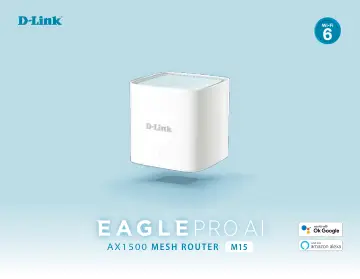
D-Link EAGLE PRO AI AX1500 Mesh System - 2 Pack (M15-2) user manual
Open PDFOpens the file on objects.icecat.biz.
Contents
- Product Overviewp. 5
If any of the above items are missing or damaged, please contact your local reseller. Note: Using a power supply with a different voltage rating than the one…
- System Requirementsp. 6
- Introductionp. 7
The M15 provides a breakthrough Wi-Fi solution that’s the perfect fit for your modern home. It features high-performance mesh technology that answers your…
- Hardware Overviewp. 8
M15 LED Indicator 1 Status LED Solid red The M15 is booting up or being factory reset. Blinking orange The M15 is syncing to another M15 mesh point or trying…
- Hardware Setupp. 10
Using the EAGLE PRO AI App The EAGLE PRO AI allows you to install and configure your M15 from your compatible Android or iOS device. Note: The screenshots may…
- Configurationp. 13
Accessing the Web User Interface http://xxxx.devicesetup.net/ You can access the web-based user interface using one of the following web browsers: • Internet…
- Accessing the Web User Interfacep. 13
http://xxxx.devicesetup.net/ You can access the web-based user interface using one of the following web browsers: • Internet Explorer 11 or higher • Firefox 28…
- Homep. 14
The Home page displays the status of your network connectivity in the form of an interactive topology. You can click each icon to display information about…
- Settingsp. 20
Wizard Go to Settings > Wizard to open the setup wizard. This is the same wizard that appears when you set up the device using the web interface for the first…
- Featuresp. 57
Parental Control Go to Features > Parental Control to configure parental control policies. You can configure schedules that set time limits for Internet access…
- Managementp. 73
Time & Schedule Time The Time page allows you to configure, update, and maintain the correct time on the internal system clock. From here you can set the time…
- Adding Additional Mesh Pointsp. 83
M15 is a scalable solution for your whole-home wireless network. You can add additional mesh points with our EAGLE PRO AI series mesh routers and extenders at…
- Using the EAGLE PRO AI Appp. 83
Refer to Hardware Setup on page 6 for instructions on app installation. Then use the following procedure to add mesh devices in your network. Note: The…
- EAGLE PRO AIp. 90
AI Wi-Fi Optimizer: To enable this function, open the app. From the home screen, tap Wi-Fi and tap . Then tap the slider for AI Wi-Fi Optimizer. Turn on Wi-Fi…
- Voice Controlp. 94
With the M15, you can command your router’s functionality with your voice through Amazon Alexa and the Google Assistant, enabling you to control your network…
- Link D-Link Cloud Service to Other Servicesp. 95
In order to use third-party apps to control and manage your device, you will first need to link your registered D-Link account with apps such as Google…
- Connect to a Wireless Clientp. 107
WPS Button The easiest way to connect your wireless devices to your Wi-Fi network is with WPS (Wi-Fi Protected Setup). Most wireless devices such as wireless…
- WPS Buttonp. 107
The easiest way to connect your wireless devices to your Wi-Fi network is with WPS (Wi-Fi Protected Setup). Most wireless devices such as wireless adapters…
- Windows 10p. 108
VPN Setup Instructions This section provides Quick VPN setup instructions for Windows 10. Click Start > Settings > Network & Internet > VPN > Add a VPN…
- Androidp. 111
- Mac OS Xp. 114
- iOS Devicesp. 117
- Troubleshootingp. 120
This chapter provides solutions to problems that can occur during the installation and operation of the router. Read the following descriptions if you are…
- Wireless Basicsp. 122
D-Link wireless products are based on industry standards to provide easy-to-use and compatible high-speed wireless connectivity within your home, business or…
- Tipsp. 125
to help you through the process of setting up a wireless network. Tips Here are a few things to keep in mind, when you install a wireless network. Centralize…
- Technical Specificationsp. 126
Model M15 M15x2 M15x3 Product Image General For singular device unless separated: Interfaces 1 x WPS Button 1 x 10/100/1000 Mbps Gigabit Ethernet LAN port 1 x…
- Regulatory Informationp. 128
Federal Communication Commission Interference Statement This device complies with Part 15 of the FCC Rules. Operation is subject to the following two…