Loading manual…
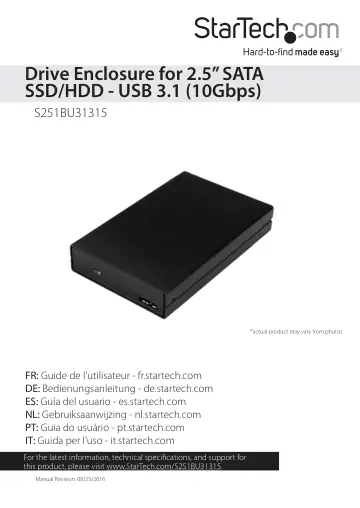
StarTech.com Drive Enclosure for 2.5" SATA SSDs/HDDs (S251BU31315) user manual
- Type
- User manual
- Language
- English
- Pages
- 10
- Category
- Storage & drives
- Models
- S251BU31315
Open PDFOpens the file on objects.icecat.biz.
Contents
- Introductionp. 4
You can use the S251BU31315 drive enclosure to access, transfer, and back up the data stored on your 2.5 in. SSDs and HDDs. In addition to drives that are…
- Product diagramp. 4
Drive enclosure *actual product may vary from photos LED indicator USB 3.1 Micro-B port Enclosure screw Drive tray Drive connector Drive-mount holes…
- System requirementsp. 5
USB enabled computer system with an available USB port • 2.5 in. SSD or HDD This drive enclosure is OS independent and doesn’t require any additional drivers…
- About USB 3.1 Gen 2p. 5
USB 3.1 is also known as USB 3.1 Gen 2. This connectivity standard supports speeds up to 10Gbps.
- Install a drivep. 6
Warning! Drives should be handled carefully, especially when they’re transported. If you’re not careful with your drives, you may lose data as a result. Always…
- Connect a drive to your computerp. 6
Note: To accommodate the type of USB port that your computer is equipped with, a USB-A to Micro-B and a USB-C to Micro-B cable are provided with the drive…
- Prepare a drive for usep. 7
Windows OS If you install a drive that already has data on it, after you connect the drive to your computer, it appears under My Computer or Computer with a…
- Windows OSp. 7
If you install a drive that already has data on it, after you connect the drive to your computer, it appears under My Computer or Computer with a drive letter…
- Mac OSp. 8
If you install a brand-new drive that doesn’t contain any data, you must prepare the drive for use. Warning! When you complete the following steps, you create…
- About the LED indicatorp. 8
The S251BU31315 features a blue LED indicator. For more information about the LED indicator, see the table below. LED behavior Significance LED is illuminated…
- Technical supportp. 9
StarTech.com’s lifetime technical support is an integral part of our commitment to provide industry-leading solutions. If you ever need help with your product…
- Warranty informationp. 9
This product is backed by a two-year warranty. StarTech.com warrants its products against defects in materials and workmanship for the periods noted, following…