Loading manual…
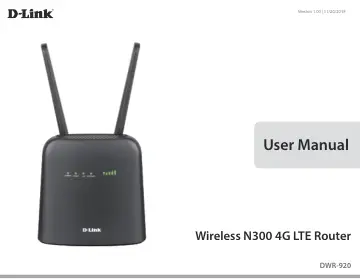
D-Link N300 (DWR-920) user manual
- Type
- User manual
- Language
- English
- Pages
- 102
- Category
- Routers & Wi-Fi
- Models
- DWR-920
Open PDFOpens the file on objects.icecat.biz.
Contents
- Product Overviewp. 5
Package Contents If any of the above items are missing or damaged, please contact your reseller. ErP Power Usage This device is an Energy Related Product (ErP)…
- System Requirementsp. 6
Network Requirements • A compatible mini-SIM/UICC card with mobile data service1 Web-based Configuration Utility Requirements Computer with the following: •…
- Introductionp. 7
High-Speed Mobile Internet with LTE Connectivity The DWR-920 Wireless N300 4G LTE Router gives you high-speed Internet wherever you are and lets you share it…
- Hardware Overviewp. 8
Overview 1 SIM/UICC Card Slot Insert a SIM/UICC card to access the Internet and your SIM/UICC card contacts list. 2 WPS Button Press this button to add new…
- Installationp. 11
- Initial Setupp. 11
Ensure that your DWR-920 Wireless N300 4G LTE Router is disconnected and powered off before performing the steps below. 1. Verify that your SIM/UICC card is…
- Wireless Installation Considerationsp. 12
The DWR-920 can be accessed using a wireless connection from anywhere within the operating range of its wireless network. Keep in mind that the quantity…
- Configurationp. 13
Initial Connection to the Router This section will show you how to configure your new D-Link mobile router using the configuration utility that can be accessed…
- Initial Connection to the Routerp. 13
This section will show you how to configure your new D-Link mobile router using the configuration utility that can be accessed via your web-browser. By…
- Web-based Configurationp. 16
To access the configuration utility, open a web browser (such as Internet Explorer) and enter the IP address of the router, which is 192.168.0.1 by default in…
- Navigationp. 17
The Internet tab allows you to configure your Internet settings, including details about your mobile operator. The Wi-Fi tab allows you to configure your Wi-Fi…
- Quick Accessp. 18
A quick access page will be displayed on the initial home page for the DWR-920. The headings below link through to windows where you can alter settings in more…
- Network Setupp. 19
Setup Wizard The Wizard page will guide you through the steps required to configure the basic settings of your router, such as the IP address, network name…
- Internet Settingsp. 29
Network Status Displays your current network provider and signal strength. Displays the type of network you are connected to. The length of time you have been…
- Wi-Fi Settingsp. 39
Wi-Fi Status This page displays your current Wi-Fi status and Wi-Fi settings. Wi-Fi WPS Wi-Fi 2.4 GHz Current Wi-Fi Clients Displays whether Wi-Fi Protected…
- Applicationsp. 46
Setup Store To Current Short Messages SMS Center Number Choose between the location to store contact numbers, either on your SIM/UICC card or the DWR-920…
- Systemp. 57
Information FW Version Hardware Version IMEI SIM/UICC IMSI Model Name System Uptime The current firmware version of the DWR-920. The current firmware version…
- Connecting to a Wireless Networkp. 67
Using Windows 10 When connecting to the DWR-920 wirelessly for the first time, you will need to know the default network name (SSID) and security key (Wi-Fi…
- Using Windows 10p. 67
When connecting to the DWR-920 wirelessly for the first time, you will need to know the default network name (SSID) and security key (Wi-Fi password) being…
- Using Windows 8p. 69
dlink_DWR-920_xxxx Wireless Icon
- Using Windows 7p. 71
Windows 7 users may use the built-in wireless utility to connect to a wireless network. If you are using another company’s utility or Windows 2000, please…
- Using Windows Vista™p. 76
Windows® Vista™ users may use the built-in wireless utility. If you are using another company’s utility or Windows® 2000, please refer to the user manual of…
- Using Windows® XPp. 79
Windows® XP users may use the built-in wireless utility (Zero Configuration Utility). The following instructions are for Service Pack 2 users. If you are using…
- Troubleshootingp. 80
This chapter provides solutions to problems that can occur during the installation and operation of the DWR-920. Read the following descriptions if you are…
- Networking Basicsp. 82
Check your IP address After you install your new D-Link adapter, by default, the TCP/IP settings should be set to obtain an IP address from a DHCP server (i.e.…
- Check your IP addressp. 82
After you install your new D-Link adapter, by default, the TCP/IP settings should be set to obtain an IP address from a DHCP server (i.e. wireless router)…
- Statically Assign an IP addressp. 83
Step 2 Right-click on the Local Area Connection which represents your network adapter and select Properties. Step 3 Highlight Internet Protocol (TCP/IP) and…
- Technical Specificationsp. 84
- Regulatory Informationp. 85
Regulatory Information Frequency Band(s) Frequenzband Fréquence bande(s) Bandas de Frecuencia Frequenza/e Frequentie(s) Max. Output Power (EIRP) Max. Output…