Loading manual…
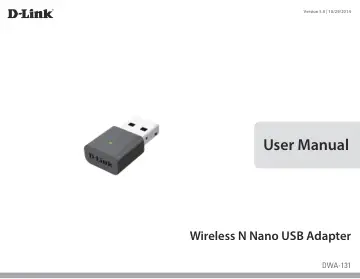
D-Link DWA-131 user manual
- Type
- User manual
- Language
- English
- Pages
- 36
- Category
- PC components
- Models
- DWA-131
Open PDFOpens the file on objects.icecat.biz.
Contents
- Product Overviewp. 3
D-Link DWA-131 Wireless N Nano USB Adapter • D-Link Wireless Connection Manager, Manual and Warranty on CD • Quick Installation Guide
- System Requirementsp. 3
A computer or laptop with an available USB 2.0 port • Windows® 8, Windows® 7 • CD-ROM Drive • 300 MHz processor and at least 64MB of RAM • A 802.11n, 802.11b…
- Introductionp. 4
The DWA-131 Wireless N Nano USB Adapter is a convenient wireless connectivity solution for desktop or notebook PCs. Instead of stringing Ethernet cables to…
- Featuresp. 5
Compact size for placement anywhere • Convenience of Plug & Play installation • Fully 802.11g compatible • 802.11n compliant • Powered by the USB port; no…
- Hardware Overviewp. 6
USB Connector Used to connect the DWA-131 to your computer. 1
- Installationp. 7
Getting Started Installation This section will walk you through the installation process. If you have a built-in wireless adapter, please disable it in device…
- Getting Startedp. 7
Installation This section will walk you through the installation process. If you have a built-in wireless adapter, please disable it in device manager before…
- Wireless Installation Considerationsp. 10
The D-Link wireless adapter lets you access your network using a wireless connection from virtually anywhere within the operating range of your wireless…
- Driver Installationp. 11
- Using SoftAPp. 13
The DWA-131’s SoftAP feature allows you to use the device as an access point. This means that wireless clients can connect to the computer the DWA-131 is…
- Connecting to a Wireless Networkp. 16
It is recommended to enable wireless security (WPA/WPA2) on your wireless router or access point before configuring your wireless adapter. If you are joining…
- Using Mac OSp. 16
Clicking on this icon will display a list of all wireless networks within range of your computer. Select the desired network by clicking on the network name.
- Using Windows 8p. 18
- Using Windows 7p. 20
Windows 7 users may use the built-in wireless utility to connect to a wireless network. If you are using another company’s utility or Windows 2000, please…
- Troubleshootingp. 25
1. How do I know if my adapter is installed properly? Click Device Manager. Troubleshooting This chapter provides solutions to problems that can occur during…
- Wireless Basicsp. 29
D-Link wireless products are based on industry standards to provide easy-to-use and compatible high-speed wireless connectivity within your home, business or…
- Wireless Modesp. 33
- Networking Basicsp. 34
Check your IP address After you install your new D-Link wireless adapter and have established a wireless connection, by default, the TCP/IP settings should be…
- Check your IP addressp. 34
After you install your new D-Link wireless adapter and have established a wireless connection, by default, the TCP/IP settings should be set to obtain an IP…
- Statically Assign an IP addressp. 35
If you are not using a DHCP capable gateway/router, or you need to assign a static IP address, please follow the steps below: • Click on Start > Control Panel…
- Technical Specificationsp. 36