Loading manual…
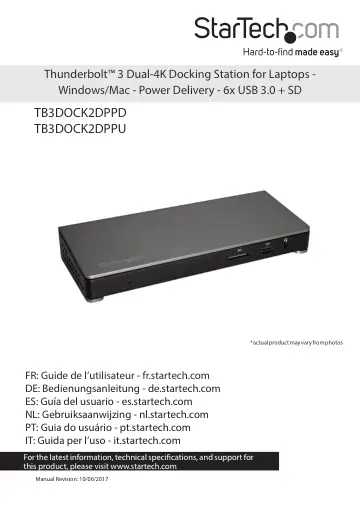
StarTech.com Thunderbolt 3 Dock (TB3DOCK2DPPU) user manual
- Type
- User manual
- Language
- English
- Pages
- 16
- Category
- Monitors
- Models
- TB3DOCK2DPPU
Open PDFOpens the file on objects.icecat.biz.
Contents
- Introductionp. 5
Package contents • 1 x docking station • 1 x Thunderbolt 3 cable • 1 x USB-C to DisplayPort cable • 1 x universal power adapter • 2 x power cords (NA/JP and…
- Requirementsp. 5
A host laptop with an available Thunderbolt 3 port • An available AC electrical outlet • DisplayPort equipped display(s) with cable(s) as needed (for…
- Product diagramp. 6
- Front viewp. 6
Rear view Instruction manual 2 USB 3.0 port (5Gbps) (Battery Charge 1.2 compatible) Gigabit RJ45 port DC input port USB Type-A ports (USB 3.0 - 5Gbps)…
- Rear viewp. 6
Instruction manual 2 USB 3.0 port (5Gbps) (Battery Charge 1.2 compatible) Gigabit RJ45 port DC input port USB Type-A ports (USB 3.0 - 5Gbps) DisplayPort port*…
- About Thunderbolt 3p. 7
Thunderbolt 3 technology uses the USB-C connector, with a bandwidth of up to 40Gbps. It supports USB 3.1, DisplayPort 1.2, and PCI Express 3.0. Thunderbolt…
- About USB 3.0 and USB 3.1 Gen 1p. 8
USB 3.0 is also known as USB 3.1 Gen 1. This connectivity standard offers speeds up to 5Gbps. Any mention of USB 3.0 in this manual or on the StarTech.com…
- About the docking station USB-C portsp. 8
Not all USB-C ports support the full functionality of the USB Type-C standard. Some ports might only provide data transfer, and might not support video (DP Alt…
- About the docking station portsp. 8
The four USB Type-A (USB 3.0) ports and one USB Type-C port located on the back of the docking station are standard USB 3.0 throughput ports. When the dock is…
- Install the docking stationp. 9
The docking station is natively supported when connected to a computer running Windows 10, Windows 8 / 8.1 or macOS operating systems. In these operating…
- Power the docking station and your laptopp. 9
When the docking station is plugged in and powered, you can use USB-C Power Delivery to power and charge your laptop through its USB-C port (up to 85 watts).…
- Configure a display devicep. 10
Use your Windows operating system to adjust display settings for multiple monitors. Your laptop hardware must support dual external displays through its…
- Connect a display to the Thunderbolt 3 USB-C portp. 10
You can connect a second display (or a display adapter) to one of the docking station’s extra Thunderbolt 3 USB-C port. The docking station’s host Thunderbolt…
- Connect multiple Thunderbolt 3 displays in a daisy chainp. 11
You can also set up dual displays using multiple Thunderbolt 3 displays in a daisy-chain configuration. Example: You can connect a Thunderbolt 3 display to the…