Loading manual…
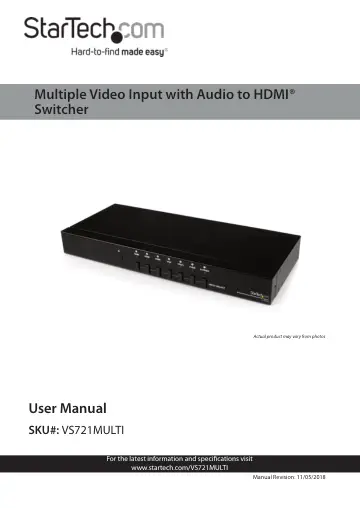
StarTech.com VS721MULTI user manual
- Type
- User manual
- Language
- English
- Pages
- 15
- Category
- Network switches
- Models
- VS721MULTI
Open PDFOpens the file on objects.icecat.biz.
Contents
- Compliance Statementsp. 2
FCC Compliance Statement This equipment has been tested and found to comply with the limits for a Class B digital device, pursuant to part 15 of the FCC Rules.…
- Safety Statementsp. 4
Safety Measures • Wiring terminations should not be made with the product and/or electric lines under power. • Product installation and/or mounting should be…
- Warning Statementsp. 5
Make sure to assemble this product according to the instructions. Failure to do so might result in personal injury or property damage. • Never use this product…
- Product Diagram (VS721MULTI)p. 7
Port LEDs (6) IR Receiver Input Selection Buttons (6) Power Supply RS232 Port HDMI Ports (3) HDMI Output Port VGA Port Component Ports Composite Port S Video…
- Product Informationp. 8
Packaging Contents • Multiple Format to HDMI® Audio Video Switch x 1 • IR Remote Control x 1 • Mounting Kit x 1 • RS232 Serial Cable - 6 ft x 1 • RS-232…
- System Requirementsp. 8
For the latest requirements, please visit www.startech.com/ VS721MULTI. • Video source devices (i.e. computer, Blu-ray Player) • HDMI® enabled display device…
- Hardware Installationp. 9
1. Connect the Desired Audio Video Input Cables (sold separately) from each video source device (i.e. computer, Blu-ray Player) to the Video Input Ports (3 x…
- Hardware Operationp. 9
1. Manual Port Selection • Press the Input Selection Button that corresponds with the video source device you would like displayed. • The selected Active Port…
- Specificationsp. 12
Ports 7 AV Input HDMI S-Video Composite VGA Component YCbCr Output Signal HDMI Industry Standards High Speed HDMI®, HDCP LED Indicators 1x HDMI - 1 1x HDMI - 2…