Loading manual…
StarTech.com SVID2USB232 user manual
- Type
- User manual
- Language
- English
- Pages
- 11
- Category
- Storage & drives
- Models
- SVID2USB232
Open PDFOpens the file on objects.icecat.biz.
Contents
- Product Diagramp. 5
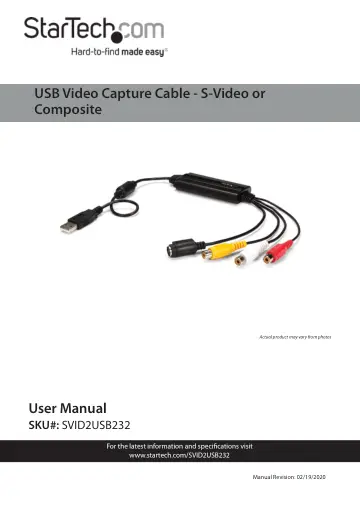
USB-A Connector (Host) 2 S-Video Connector (Input) 3 RCA Connector (Input) 1 2 3
- Product Informationp. 6
Packaging Contents • USB Video Capture Cable x 1 • Software CD w/ Activation Key x 1 • Driver CD x 1 • User Manual x 1
- Requirementsp. 6
Host Computer with available USB-A port • Windows® 7, 8.1, and 10 • Analog Video Source with S-Video or Composite Cabling (DVD, DVR, etc.)
- Hardware Installationp. 6
1. Connect the USB-A Connector (Host) to an available USB-A port on the Host Computer system. 2. Connect an Analog Video Source Device (e.g. DVD, DVR etc.) to…
- Software Installationp. 7
Driver Installation 1. After completing the hardware installation, the Found New Hardware Wizard will open. Click the Cancel button to close the screen. 2.…
- Driver Installationp. 7
1. After completing the hardware installation, the Found New Hardware Wizard will open. Click the Cancel button to close the screen. 2. Download the latest…
- Video Capture Software Installation (Optional)p. 8
An Activation Key for the Video Capture Software comes with the Software CD. You will need the Activation Key to access the Video Capture Software. Note: Keep…
- Installing the Twain Driverp. 9
1. Download the latest drivers from the Support tab on the website www.startech.com/SVID2USB232. 2. Click on the Twain Drivers folder. 3. Run the Setup.exe. 4.…