Loading manual…
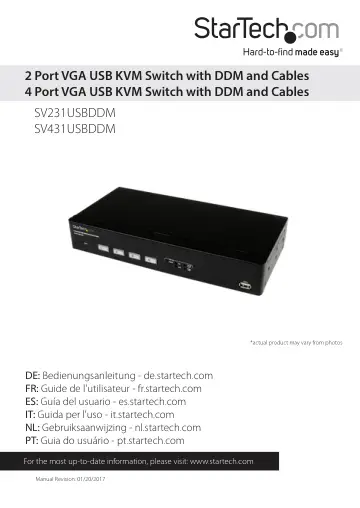
StarTech.com SV231USBDDM user manual
- Type
- User manual
- Language
- English
- Pages
- 12
- Category
- Docks & adapters
- Models
- SV231USBDDMSV431USBDDM
Open PDFOpens the file on objects.icecat.biz.
Contents
- Introductionp. 4
Packaging Contents • 1 x KVM Switch • 2x 6ft VGA USB KVM Cables (4x 6ft VGA USB KVM Cables for SV431USBDDM) • 1 x Firmware Upgrade Cable • 1 x Universal Power…
- Product Overviewp. 4
Front View (SV231USBDDM)
- Front View (SV231USBDDM)p. 4
Rear View Introduction Packaging Contents • 1 x KVM Switch • 2x 6ft VGA USB KVM Cables (4x 6ft VGA USB KVM Cables for SV431USBDDM) • 1 x Firmware Upgrade Cable…
- Rear Viewp. 4
Introduction Packaging Contents • 1 x KVM Switch • 2x 6ft VGA USB KVM Cables (4x 6ft VGA USB KVM Cables for SV431USBDDM) • 1 x Firmware Upgrade Cable • 1 x…
- Front View (SV431USBDDM)p. 5
Rear View Reset Button Push-button PC Selectors Hot-Key Selector and Indicators USB Hub Port DC Jack RJ-45 Serial Port (Serial Control + Firmware Upgrade)…
- Rear Viewp. 5
Reset Button Push-button PC Selectors Hot-Key Selector and Indicators USB Hub Port DC Jack RJ-45 Serial Port (Serial Control + Firmware Upgrade) Console…
- LED Indicatorsp. 6
PC Selection Indicators Green = PC Connected Amber = Port selected, PC connected Red = Port selected, no PC connected NOTE: The LED will flash quickly while…
- Reset Buttonp. 6
The reset button causes all USB ports to reset and settings to reload. The KVM will reconnect all devices (including DDM port and USB hub port) and PC ports…
- Installationp. 6
1. Connect the external power adapter from a wall outlet to the power connector on the rear panel of the KVM switch. 2. Connect a monitor into the Console’s…
- Operationp. 7
Switching between computers can be accomplished using: • Front-panel push-buttons • Keyboard hot-keys. The following chart indicates the hot-keys that are…
- Specificationsp. 9
SV231USBDDM KVM Ports 2 Console Connectors 1 x VGA (15 pin; High Density D-Sub) Female 2 x USB A (4 pin) Female (w/ DDM) Computer Connectors (per port) 1 x VGA…
- Technical Supportp. 11
StarTech.com’s lifetime technical support is an integral part of our commitment to provide industry-leading solutions. If you ever need help with your product…
- Warranty Informationp. 11
This product is backed by a two year warranty. In addition, StarTech.com warrants its products against defects in materials and workmanship for the periods…