Loading manual…
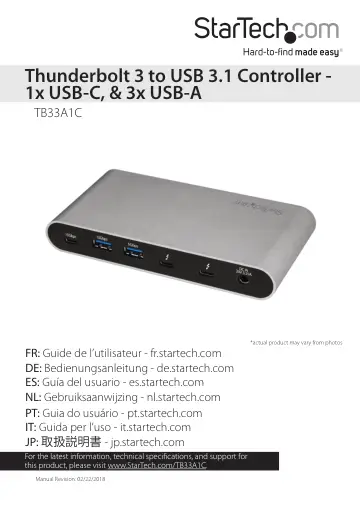
StarTech.com TB33A1C user manual
- Type
- User manual
- Language
- English
- Pages
- 12
- Models
- TB33A1C
Open PDFOpens the file on objects.icecat.biz.
Contents
- FCC Compliance Statementp. 2
This equipment has been tested and found to comply with the limits for a Class B digital device, pursuant to part 15 of the FCC Rules. These limits are…
- Industry Canada Statementp. 2
This Class B digital apparatus complies with Canadian ICES-003. Cet appareil numérique de la classe [B] est conforme à la norme NMB-003 du Canada. CAN ICES-3…
- Use of Trademarks, Registered Trademarks, and other Protected Names and Symbolsp. 2
Thunderbolt™ 3 is a trademark of Intel Corporation or its subsidiaries in the U.S. and/or other countries. USB Type-C™ and USB-C™ are trademarks of USB…
- Product diagramp. 4
Front view Power adapter port Thunderbolt 3 USB-C™ ports Battery Charge 1.2 compatible USB 3.0 port (5Gbps)
- Front viewp. 4
Power adapter port Thunderbolt 3 USB-C™ ports Battery Charge 1.2 compatible USB 3.0 port (5Gbps)
- Back viewp. 4
USB 3.1 ports (10Gbps) USB 3.0 port (5Gbps)
- Requirementsp. 5
Host computer with a Thunderbolt 3 port • Any of the following operating systems: • Windows® 10 (32-bit or 64-bit) • Windows 8 (32-bit or 64-bit) • Windows 7…
- About Thunderbolt 3p. 6
Thunderbolt 3 technology uses the USB-C connector and offers bandwidth speeds up to 40Gbps. It supports USB 3.1 ports, and Thunderbolt 3 ports. You must use…
- Updatesp. 6
The Thunderbolt 3 ports on your laptop might not function properly until you update one or more of the following on your laptop: • BIOS • Thunderbolt firmware…
- Connect multiple Thunderbolt 3 devices in a daisy chainp. 6
You can connect multiple Thunderbolt 3 devices, including displays, in a daisy-chain formation. For example, you can connect a Thunderbolt 3 display to the…
- DP Alt Mode (DisplayPort Alternate Mode)p. 6
DP Alt Mode is a specification that allows a DisplayPort video signal to be transferred over a USB-C port. Thunderbolt 3 supports the full functionality of the…
- About USB 3.0 and USB 3.1 Gen 1 and Gen 2p. 7
USB 3.0 is also known as USB 3.1 Gen 1. This connectivity standard offers speeds up to 5Gbps. Any mention of USB 3.0 in this manual or on the StarTech.com…
- About the Controller’s portsp. 7
The left most USB 3.1 Type-A and the USB 3.1 Type-C ports on the back panel of the controller are standard USB 3.1 Gen 2 throughput ports. The right most USB…
- Install the Controllerp. 7
The controller is natively supported when connected to a supporting operating system. The controller will automatically detect and install the required drivers…
- Power the controllerp. 7
Select the appropriate power cord for your region and connect it to the power adapter. 1. Connect the power adapter to an AC electrical outlet and then to the…
- Connect the controllerp. 7
1. Connect any of your display(s) to the controller’s Thunderbolt 3 port (for example, DisplayPort or Thunderbolt 3 displays). Note: For dual-display…
- Bandwidth allocationp. 8
Thunderbolt technology carries video and data bandwidth, and it prioritizes video bandwidth to help ensure seamless display performance. The performance of the…
- Troubleshootingp. 9
If you’re experiencing issues, there are some quick tests that you can complete to narrow down the source of the issue. Update your computer to use Thunderbolt…
- Technical supportp. 11
StarTech.com’s lifetime technical support is an integral part of our commitment to provide industry-leading solutions. If you ever need help with your product…
- Warranty informationp. 11
This product is backed by a two-year warranty. StarTech.com warrants its products against defects in materials and workmanship for the periods noted, following…
- Limitation of Liabilityp. 11
In no event shall the liability of StarTech.com Ltd. and StarTech.com USA LLP (or their officers, directors, employees or agents) for any damages (whether…