Loading manual…
StarTech.com CMVER40UD user manual
- Type
- User manual
- Language
- English
- Pages
- 13
- Category
- Desktops & servers
- Models
- CMVER40UD
Open PDFOpens the file on objects.icecat.biz.
Contents
- Introductionp. 4
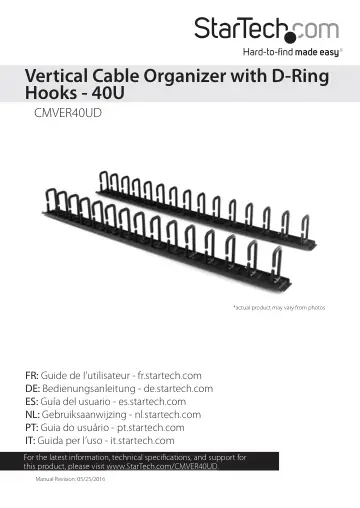
The CMVER40UD is a tool-less vertical cable organizer that works with virtually any two-post, four-post, or enclosed server rack or cabinet. The CMVER40UD…
- Product diagramp. 4
D-ring hook Mounting hole Mounting hole Front
- Installation requirementsp. 6
If you relocate or remove the mounting buttons or D-ring hooks, a Phillips screwdriver is required. Installation requirements are subject to change. For the…
- Tool-less installationp. 7
If you don’t need to move the mounting buttons or D-ring hooks, you don’t require any tools to attach the cable organizers to a server rack or cabinet. Note…
- Relocate the mounting buttonsp. 7
The mounting buttons come preinstalled but you can move them to any of the holes on the cable organizers. 1. Use a Phillips screwdriver to remove the screw…
- Installation using toolsp. 8
If your server rack doesn’t have keyhole-shaped mounting holes, you need to
- Remove the mounting buttonsp. 8
or two D-ring hooks, and use the included hardware to attach the cable organizer to your server rack. Screw Mounting button D-ring hook hardware D-ring hook…
- Remove D-ring hooksp. 8
On the back of the cable organizer, use a Phillips screwdriver to remove the D-ring hook hardware. Note: Make sure that you store the D-ring hooks and hardware…
- Attach a cable organizerp. 9
After you remove the mounting buttons or D-ring hooks, complete the following to attach the cable organizer to your server rack: 1. Line up the mounting holes…
- Installation optionsp. 10
The following images show some of the CMVER40UD installation options. Note: Some images feature the CMVER20UD version. Attached to a vertical mounting plate
- Technical supportp. 12
StarTech.com’s lifetime technical support is an integral part of our commitment to provide industry-leading solutions. If you ever need help with your product…
- Warranty informationp. 12
This product is backed by a two-year warranty. StarTech.com warrants its products against defects in materials and workmanship for the periods noted, following…