Loading manual…
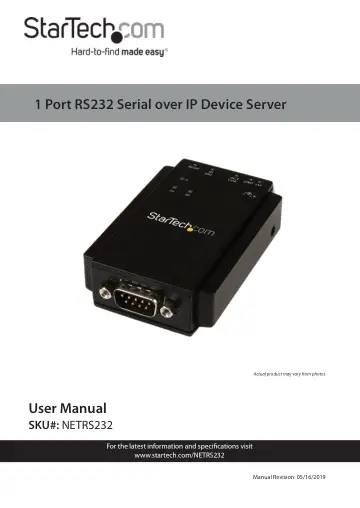
StarTech.com NETRS232 user manual
- Type
- User manual
- Language
- English
- Pages
- 18
- Category
- Desktops & servers
- Models
- NETRS232
Open PDFOpens the file on objects.icecat.biz.
Contents
- Compliance Statementsp. 2
FCC Compliance Statement This equipment has been tested and found to comply with the limits for a Class B digital device, pursuant to part 15 of the FCC Rules.…
- Safety Statementsp. 3
Safety Measures • Wiring terminations should not be made with the product and/or electric lines under power. • Cables (including power and charging cables)…
- Product Diagramp. 5
- Front Viewp. 5
- Rear Viewp. 6
- DB-9 Serial Port Pinoutp. 7
- RJ45 Port Pinoutp. 7
- Product Informationp. 8
Packaging Contents • Serial over IP Device Server x 1 • DIN Rail Kit x 1 • Terminal Block x 1 • Universal Power Adapter (NA/UK/EU) and AU in Australia x 1 •…
- System Requirementsp. 8
Cables • RJ45 terminated Cat5 or higher Ethernet cabling Network • 10/100Mbps compatible Ethernet network Operating System • Windows® 8, 8.1, 7, Vista, XP…
- Hardware Installationp. 9
DIN-Rail Bracket Follow the below procedure to install the DIN-Rail Bracket to the RS232 Device Server. 1. Align the DIN-Rail Bracket flush onto the back of…
- DIN-Rail Bracketp. 9
Follow the below procedure to install the DIN-Rail Bracket to the RS232 Device Server. 1. Align the DIN-Rail Bracket flush onto the back of the Device Server.…
- DIN-Rail Mountingp. 9
Follow the below procedure to mount the device server to a DIN-Rail. 1. Tilt the Device Server, making sure that the Metal Spring located at the back is…
- Connecting to Terminal Block Powerp. 10
The Device Server is powered by either the Universal Power Adapter (included), or a 2-wire 10~30V DC Power Source via the Terminal Block (included). 1. Attach…
- Software Installationp. 10
1. Using a CAT5e/6 Cable connect the RJ45 Port on the Device Server to your Local Area Network (LAN). Note: Alternatively, you can also use a Crossover Cable…
- Operationp. 11
1. Start the software by launching the VCOM shortcut. 2. Click the Search button in the VCOM screen to locate the device.
- Specificationsp. 15
Interface Serial Industry Standards IEEE 802.3, IEEE 802.3u Ports 1 Connectors 1x DB-9 (9 pin; D-Sub) Male 1x RJ-45 Female 1x Terminal Block (2 wire) 1x DC…