Loading manual…
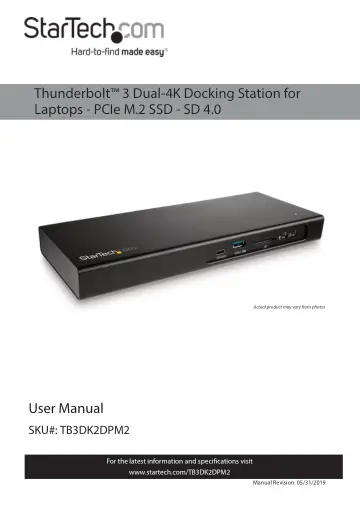
StarTech.com TB3DK2DPM2 user manual
- Type
- User manual
- Language
- English
- Pages
- 21
- Category
- Monitors
- Models
- TB3DK2DPM2
Open PDFOpens the file on objects.icecat.biz.
Contents
- Product Diagramp. 6
Actual product may vary from photos
- Front Viewp. 6
Rear View USB-C (10Gbps) Port Ethernet Port Thunderbolt 3 Peripheral Port Thunderbolt 3 Host Port DC IN 20V Power Input Port USB-A (5Gbps) Port SD Card Reader…
- Rear Viewp. 6
USB-C (10Gbps) Port Ethernet Port Thunderbolt 3 Peripheral Port Thunderbolt 3 Host Port DC IN 20V Power Input Port USB-A (5Gbps) Port SD Card Reader Slot 3.5…
- Bottom Viewp. 7
Product Information Package Contents • Docking Station x 1 • Thunderbolt 3 Cable x 1 • Universal Power Adapter x 1 • Power Cords (NA/JP, EU, UK, ANZ) x 4 •…
- Product Informationp. 7
Package Contents • Docking Station x 1 • Thunderbolt 3 Cable x 1 • Universal Power Adapter x 1 • Power Cords (NA/JP, EU, UK, ANZ) x 4 • Instruction Manual x 1
- Requirementsp. 7
For the latest requirements, please visit www.startech.com/TB3DK2DPM2. Power: • Available AC electrical outlet M.2 SSD Slot
- Installationp. 9
Connecting Front Ports USB-C (10Gbps) Port The USB-C (10Gbps) Port on the front panel is not a Thunderbolt 3 port. You can use this port to connect peripherals…
- Connectingp. 9
Front Ports USB-C (10Gbps) Port The USB-C (10Gbps) Port on the front panel is not a Thunderbolt 3 port. You can use this port to connect peripherals using USB…
- Poweringp. 15
1. Connect the Power Cord to the DC IN 20V Power Input Port. 2. Connect the other end of the Power Cord to the Universal Power Adapter. 3. Connect the…
- Driver Installationp. 15
Install Drivers in Windows 7/8.1/10 When the Docking Station is powered and connected to your laptop, and your laptop has established a network connection, the…
- Display Configurationp. 16
Connect HDMI, DVI and VGA Displays Notes: • Connect an active adapter to the DisplayPort Port. • This port does not support Multimode DisplayPort so an active…
- Connect HDMI, DVI and VGA Displaysp. 16
Notes: • Connect an active adapter to the DisplayPort Port. • This port does not support Multimode DisplayPort so an active adapter is required. • The Docking…
- Configure Displaysp. 17
Use your Windows operating system to adjust display settings for multiple monitors. Your laptop hardware must support dual external displays through its…
- Supported Video Resolutionsp. 17
The Docking Station supports the following maximum resolutions: Number of Displays Ports Maximum Resolution 1 DisplayPort Port 4096 x 2160p 1 Thunderbolt 3…
- Operationp. 19
LED Indicators Power: Solid LED (White) • Indicates that the Docking Station is active (the Power Cord is correctly connected to an AC Electrical Outlet). LED…
- LED Indicatorsp. 19
Power: Solid LED (White) • Indicates that the Docking Station is active (the Power Cord is correctly connected to an AC Electrical Outlet). LED Off • Indicates…
- Charge a Devicep. 19
If you’re only using the front USB-A (5Gbps) Port to charge a device, a connection to a Host Laptop isn’t required. • To charge a device, connect it to the…