Loading manual…
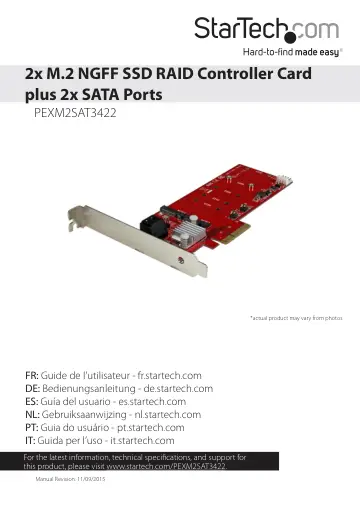
StarTech.com PEXM2SAT3422 user manual
- Type
- User manual
- Language
- English
- Pages
- 10
- Category
- Storage & drives
- Models
- PEXM2SAT3422
Open PDFOpens the file on objects.icecat.biz.
Contents
- Introductionp. 4
Packaging contents • 1 x M.2 SSD RAID controller card • 1 x low-profile bracket • 2 x M.2 mounting screws • 1 x quick start guide
- System requirementsp. 4
Computer enabled with PCI Express® and an available PCI Express x4, x8, or x16 slot • Any of the following operating systems: • Windows® 10 (32-bit or 64-bit)…
- Product diagramp. 5
Bracket 2x M.2 SSD slots 2x SATA ports Drive-mount standoffs Drive
- Installationp. 5
- Install a drivep. 5
Warning! Drives and PCIe cards should be handled carefully, especially when they’re transported. If you’re not careful with your drives, you may lose data as a…
- Install the PCIe cardp. 6
Warning! PCIe cards can be severely damaged by static electricity. If an anti-static strap isn’t available, discharge any built-up static electricity by…
- Confirm installationp. 7
1. On your computer, navigate to Device Manager. 2. Under Storage Controllers, right-click Marvel 92xx and click Properties. 3. Check to make sure that the…
- Initialize a drivep. 7
If you install a drive that already has data on it, the drive appears under My Computer or Computer with a drive letter assigned to it. If you install a…
- About LED notificationsp. 8
LED/pin header Behavior Status M.2 drive green LED (LED2 and LED3) LED is illuminated The drive is on and linked to the computer. LED is blinking The drive is…
- Technical supportp. 9
StarTech.com’s lifetime technical support is an integral part of our commitment to provide industry-leading solutions. If you ever need help with your product…
- Warranty informationp. 9
This product is backed by a two-year warranty. StarTech.com warrants its products against defects in materials and workmanship for the periods noted, following…