Loading manual…
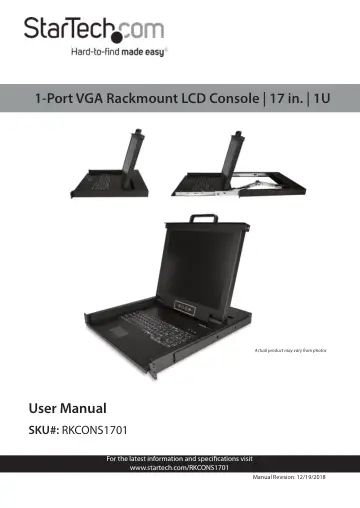
StarTech.com Rackmount KVM Console (RKCONS1701) user manual
- Type
- User manual
- Language
- English
- Pages
- 23
- Category
- Monitors
- Models
- RKCONS1701
Open PDFOpens the file on objects.icecat.biz.
Contents
- Compliance Statementsp. 2
FCC Compliance Statement This equipment has been tested and found to comply with the limits for a Class B digital device, pursuant to part 15 of the FCC Rules.…
- Safety Statementsp. 4
Safety Measures • Wiring terminations should not be made with the product and/or electric lines under power. • Product installation and/or mounting should be…
- Warning Statementsp. 5
Make sure to assemble this product according to the instructions. Failure to do so might result in personal injury or property damage. • Never use this product…
- Product Diagram (RKCONS1901)p. 8
To view manuals, videos, drivers, downloads, technical drawings, and more visit www.startech.com/support Product Diagram (RKCONS1701)
- Frontp. 8
Handle Release Switch Display Console Panel Mounting Brackets (2) Rails (2) Keyboard Touchpad
- Rearp. 9
Power Connection Port Power Switch Ground Connection Screw Host Port
- Product Informationp. 10
Packaging Contents • 1U LCD Rack Console Drawer x 1 • Console Cable Kit x 1 • Mounting Rails - Set x 1 • Power Adapter x 1
- Hardware Kit Contentsp. 10
Side Rails with Brackets x 2 • Keys x 2 • Screw Kit x 1
- Requirementsp. 10
are subject to change. For the latest requirements, please visit www.startech.com/RKCONS1701. • 1U of Rack Space • Grounding Wire • Power Source • Computer…
- Installationp. 11
Mounting the Rack Console Drawer Note: It’s easier to install the Rack Console Drawer if an other person helps you with the installation. Warning: Use caution…
- Mounting the Rack Console Drawerp. 11
Note: It’s easier to install the Rack Console Drawer if an other person helps you with the installation. Warning: Use caution and proper lifting techniques…
- Grounding the LCD Consolep. 12
Note: Grounding is recommended in environments with high levels of electromagnetic interference (EMI), or frequent electrical surges. 1. Using a Phillips Head…
- Connecting the LCD Consolep. 12
To connect the LCD Console to a Computer or KVM, perform the following steps: 1. Turn off the Computer or KVM Switch. 2. Connect the 15-pin Host/KVM Connector…
- Opening the LCD Consolep. 13
1. Move the Release Switch to the unlocked position. Unlocking the LCD Console 2. Use the Handle to pull the LCD Console out of the Rack until you hear the LCD…
- Closing the LCD Consolep. 14
- Panel Controls and On-Screen Display (OSD) Functionsp. 15
- LCD Console Panel Menup. 15
- Auto Tuning the Displayp. 15
- Adjusting the Display’s Brightnessp. 16
- Adjusting the Display’s Contrastp. 17
- Adjusting the Display’s Color Settingsp. 17
- Adjusting the Image or OSD Positionp. 18
- Adjusting the Languagep. 18
- Resetting the LCD Console to Factory Settingsp. 19
- Exiting the OSDp. 19
- LED Indicatorp. 20
- Configurationp. 20
- Testing the LCD Consolep. 20
- Configuring Display Settingsp. 21
- Specificationsp. 21
Installing the LCD Console in a rack or cabinet may reduce airflow. Consider your airflow requirement when selecting a location for installation. • It’s…